Asset Import
Use when acquiring or importing media into a OpenChatCut project asset library for...
Install
npx skills add 0xsline/OpenChatCut --skill asset-import -g -a claude-code -y- Repository
- 0xsline/OpenChatCut2.8k
- Category
- Media
- Updated
- 14d ago
- License
- AGPL-3.0
- Context cost
- Lightabout 858 tokens
- Runs scripts
- No, instructions only
What it does
Use when acquiring or importing media into a OpenChatCut project asset library for video editing or creation, including local/attached videos, user-provided paths, public media URLs, web video/audio/image assets, upload fallback decisions, and deciding between import_media, download_media, or manual user action.
Asset Import
This build runs the editor and its media server locally. There is no hosted import API, no CLI, and no OAuth: media enters the project through the editor UI or through the agent tools below. Pick the path by where the bytes live.
Path 1, user's local files (primary)
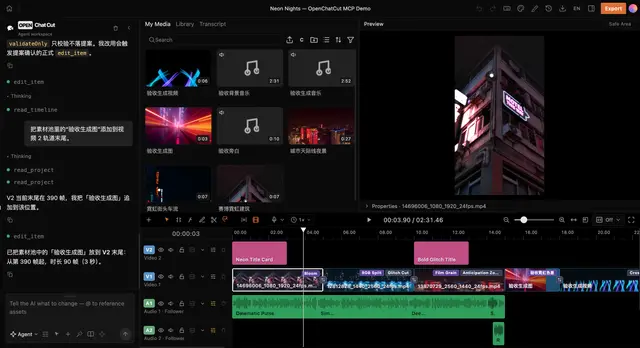
Ask the user to drag the files into the editor (preview canvas or 我的素材 panel) or use the upload button. The local pipeline then runs automatically: streaming write to /media/uploads/, conditional transcode (≤1920 long edge, browser-friendly codec, ~8Mbps), audio extraction, and auto-transcription (ASR starts on upload). Do not ask the user to pre-convert, pre-trim, or transcode anything themselves, the pipeline handles it.
The agent cannot read the user's filesystem. If the user gives you a /Users/... or C:\... path, tell them to drop that file into the editor instead; you cannot fetch it.
Path 2, public URLs (agent-driven)
Use download_media with a single URL or a batch array. The server fetches, stores under /media/uploads/, and registers pool assets. Prefer this for stock/web media the user pointed at. After download, the asset behaves like any other media-pool asset.
Path 3, external host transfer
Call import_media with {"action":"create_session", "assetType":..., "filename":..., "contentType":..., "size":...}. It returns one short-lived upload slot bound to the current project, session, asset identity, basename, POST, MIME type, and exact byte count. A host-side script may upload to that exact URL with the declared headers. The agent sandbox cannot reach the user's localhost, so do not attempt the transfer from run_code.





