Livestream To Clips
Cut an imported livestream recording of any genre into evidence-backed, platform-ready...
Install
npx skills add 0xsline/OpenChatCut --skill livestream-to-clips -g -a claude-code -y- Repository
- 0xsline/OpenChatCut2.8k
- Category
- Media
- Updated
- 14d ago
- License
- AGPL-3.0
- Context cost
- Mediumabout 2,630 tokens
- Runs scripts
- No, instructions only
What it does
Cut an imported livestream recording of any genre into evidence-backed, platform-ready clips by combining transcript, visual, audio, interaction, and domain-specific signals. Use for commerce, gaming, talk, interview, education, entertainment, sports, music, IRL, creative, news, or mixed livestream recordings.
Livestream to Clips
Use this workflow when the source is an imported livestream recording and the user wants clips, highlights, cutdowns, reels, or multiple publishable timelines. A livestream may change genre during one recording, so classify each section rather than assigning one label to the whole source.
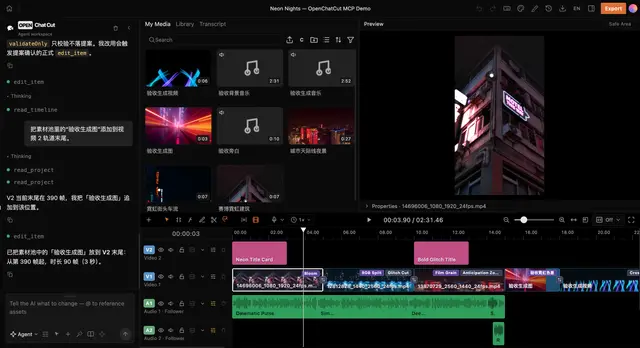
This workflow is OpenChatCut-native. Use project media, transcript, representative source frames, timeline tools, captions, and export tools already available in the editor. Treat audience chat, reactions, score data, product records, or stream markers as optional evidence when the project contains them.
Required References
Load only the files needed for the current step:
- Read references/profile-matrix.md before classifying sections or applying genre rules.
- Read references/multimodal-selection.md before comparing candidates or processing a long recording.
- Read references/qa-and-evaluation.md before final verification or benchmark reporting.
Workflow
1. Establish the editing contract
Read the project before editing. Identify the dominant livestream asset, duration, aspect ratio, language, speakers, transcript readiness, audio tracks, existing visual descriptions, and current timeline.
Determine only constraints that change the result: target platform, objective, clip count, duration range, aspect ratio, captions, packaging style, and whether the user wants contiguous source clips or an editorial remix. If the user asked for direct creation and supplied enough context, proceed without another approval step.
2. Build a stream map before selecting clips
For a long source, inspect it hierarchically instead of sending the entire transcript or dense frame sequence through one decision pass:





