Storyboard Shot Breakdown
Break down each shot and turn the analysis into a storyboard reference.
Install
npx skills add 0xsline/OpenChatCut --skill storyboard-shot-breakdown -g -a claude-code -y- Repository
- 0xsline/OpenChatCut2.8k
- Category
- Media
- Updated
- 14d ago
- License
- AGPL-3.0
- Context cost
- Lightabout 838 tokens
- Runs scripts
- No, instructions only
What it does
Break down each shot and turn the analysis into a storyboard reference. Use when the user wants shot-by-shot film analysis, director logic, cinematography breakdown, or a storyboard-style reference from a video.
Storyboard Shot Breakdown
Use this skill to analyze a video shot by shot and produce a storyboard-style reference that explains the director's visual decisions.
Core Philosophy
Do not merely describe what is visible. Deduce why each visual choice was made.
Analyze each shot across five director-decision dimensions:
| Dimension | Core question |
|---|---|
| Composition | What is the viewer forced to look at? What pressure does space, symmetry, depth, or framing create? |
| Focal length | What psychological distance does the lens create? Does it compress, expand, isolate, or invade? |
| Movement | Why does the camera move or stay still at this exact moment? What changes before and after? |
| Cut | Why cut here instead of earlier or later? Is the driver emotion, story, rhythm, eye trace, action, or sound? |
| Narrative function | What new information does this shot deliver: setup, turning point, emphasis, concealment, revelation? |
Workflow
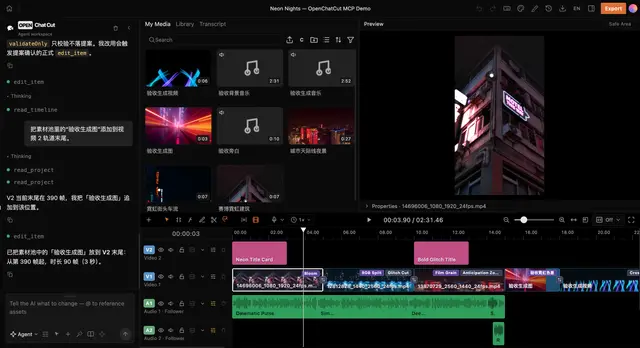
- Read project state and source media.
- Read transcript or audio context when available so narrative interpretation is grounded.
- Detect or mark shot boundaries with available OpenChatCut/media tooling.
- Extract representative frames for each shot in batch when possible.
- Inspect frames before writing analysis. Do not invent details that are not visible.
- For high shot counts, tell the user the count and offer output scope choices before spending effort.
- Analyze each selected shot using the five dimensions.
- Summarize the overall visual rule of the scene in 1-2 concise sentences.
- Generate a storyboard reference image or structured analysis artifact if the user wants a visual output.





