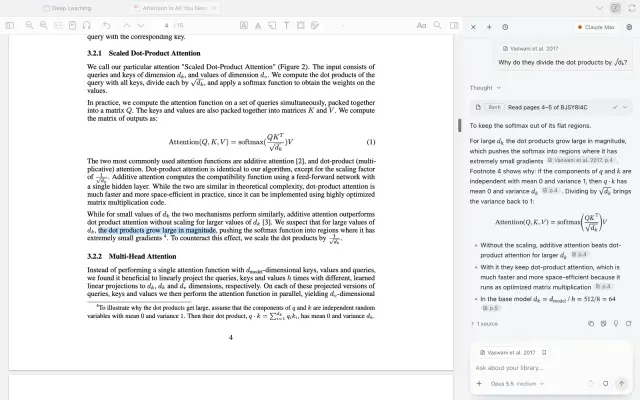
Zotero CLI
Read and write a Zotero library from the shell with the `zotero-cli` command - search...
Install
npx skills add 54yyyu/zotero-mcp --skill zotero-cli -g -a claude-code -y- Repository
- 54yyyu/zotero-mcp5.7k
- Category
- Documents
- Updated
- 4d ago
- License
- MIT
- Context cost
- Mediumabout 2,160 tokens
- Runs scripts
- No, instructions only
What it does
Read and write a Zotero library from the shell with the `zotero-cli` command - search papers by keyword or meaning, read PDF full text and page ranges, get and set metadata, manage collections, tags, notes and annotations, add items by DOI/URL/ISBN, and export bibliographies. Use whenever the user asks about their Zotero library, references, citations, papers they have saved, or their reading notes.
Zotero from the shell
zotero-cli reaches a Zotero library directly. Prefer it over the Zotero MCP
server when you have shell access: the MCP server's tool schemas cost ~14k
tokens of context on every request whether or not you use them, while this
costs only what you actually run.
Check it is set up before the first real call:
zotero-cli config # prints the resolved Zotero settings
If that fails, Zotero is not reachable. Local mode needs the Zotero desktop
app running with its local API enabled; web mode needs ZOTERO_API_KEY and
ZOTERO_LIBRARY_ID. Say so rather than guessing at library contents.
Always pass --json when you will read the output
Default output is markdown for humans. --json gives you one object per
invocation with a stable shape, so you never parse prose:
{"ok": true, "command": "search", "schema": 1, "data": {...}}
{"ok": false, "command": "search", "schema": 1, "error": {"message": "...", "code": "..."}}
Both go to stdout; [INFO]/[WARN] diagnostics go to stderr. Check ok
before using data. Run zotero-cli --json-schema for the full contract.
The core loop
Almost every task is: find keys → act on keys. Item keys are 8 characters and are the currency of every command.
# 1. find - use --detail keys_only to keep the result small while browsing
zotero-cli --json search "attention mechanisms" --limit 10 --detail keys_only

# 2. act - metadata, full text, or a page range
zotero-cli --json get metadata ABCD1234
zotero-cli --json get fulltext ABCD1234
zotero-cli --json read ABCD1234 --start-page 3 --end-page 8
Pipe keys straight into the next call:
zotero-cli --json search "diffusion models" --limit 5 --detail keys_only \
  | jq -r '.data.items[].key' \
  | while read -r key; do zotero-cli --json get metadata "$key"; done





