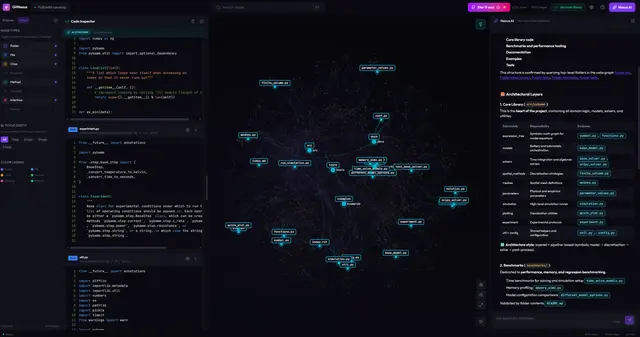
Gitnexus Refactoring
Use when the user wants to rename, extract, split, move, or restructure code safely.
Install
npx skills add abhigyanpatwari/GitNexus --skill gitnexus-refactoring -g -a claude-code -y- Repository
- abhigyanpatwari/GitNexus48.2k
- Category
- Engineering
- Updated
- 3d ago
- License
- See repository
- Context cost
- Mediumabout 3,000 tokens
- Runs scripts
- No, instructions only
What it does
Use when the user wants to rename, extract, split, move, or restructure code safely. Examples: \"Rename this function\", \"Extract this into a module\", \"Refactor this class\", \"Move this to a separate file\
Refactoring with GitNexus
When to Use
- "Rename this function safely"
- "Extract this into a module"
- "Split this service"
- "Move this to a new file"
- Any task involving renaming, extracting, splitting, or restructuring code
Bind the repository first
Refactoring writes to disk. rename with dry_run: false edits files in
whichever repository was resolved, so binding identity here is a safety gate,
not bookkeeping.
Call list_repos {} before the first tool call. With one indexed repository,
use the examples below as written. With more than one, pass repo on every
call: an omitted repo normally errors, but under an MCP policy with a
configured default it resolves to that default silently. If you cannot tell
which repository is meant, stop and ask. Never run rename with
dry_run: false until the preview in the same bound repository has been
reviewed, its returned file_path values show which checkout is about to be
written, so read them as a confirmation of identity.
list_repos is paginated, so page with offset: pagination.nextOffset until
hasMore is false before concluding a repository is absent.
detect_changes takes worktree when you are editing a linked worktree the
MCP server was not launched from; otherwise git diff runs in the wrong
checkout and reports nothing changed, which reads as a verified refactor.
Workflow
0. list_repos {}                                  → Bind repo (and worktree)
1. impact({target: "X", direction: "upstream"})  → Map all dependents
2. query({search_query: "X"})                            → Find execution flows involving X
3. context({name: "X"})                           → See all incoming/outgoing refs
4. Plan update order: interfaces → implementations → callers → tests



