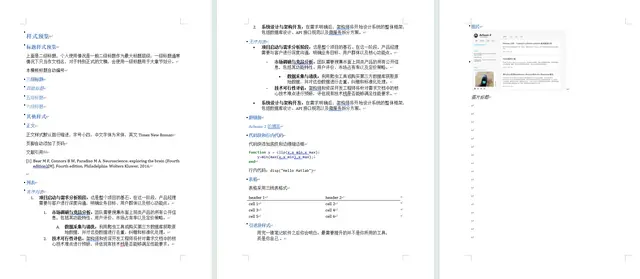
Pandoc DOCX Template
Use this skill when converting Markdown to Word DOCX or DOCX back to Markdown with...
Install
npx skills add Achuan-2/pandoc_docx_template --skill pandoc-docx-template -g -a claude-code -y- Repository
- Achuan-2/pandoc_docx_template1.1k
- Category
- Documents
- Updated
- 4mo ago
- License
- See repository
- Context cost
- Lightabout 921 tokens
- Runs scripts
- No, instructions only
What it does
Use this skill when converting Markdown to Word DOCX or DOCX back to Markdown with Pandoc, especially when the output should use the bundled Chinese Word reference templates, heading numbering variants, list indentation variants, SCI paper templates, and Lua filters for HTML tags, image captions, font color, and inline code styles.
Pandoc DOCX Template
Overview
Use this skill to convert Markdown and DOCX files with Pandoc while applying the bundled Word reference templates in templates/ and Lua filters in this folder. Prefer the scripts in scripts/ for repeatable conversions, and call Pandoc directly when the local shell cannot run Bash scripts.
Workflow
- Check that Pandoc is available:
pandoc --version
- Choose the conversion direction:
- Markdown to DOCX: use
scripts/md2docx.py. - DOCX to Markdown: use
scripts/docx2md.py.
- Choose a reference DOCX template when exporting Word:
| Template | Use for |
|---|---|
templates/template_标题不编号-列表第二行顶格.docx | Default Chinese layout, headings without numbering, wrapped list lines flush left |
templates/template_标题不编号-列表第二行缩进.docx | Headings without numbering, wrapped list lines indented |
templates/template_标题编号-列表第二行顶格.docx | Numbered headings, wrapped list lines flush left |
templates/template_标题编号-列表第二行缩进.docx | Numbered headings, wrapped list lines indented |
templates/template_标题不编号-列表第二行顶格-无首行缩进.docx | No heading numbering and no first-line paragraph indent |
templates/template_sci论文-标题编号.docx | SCI-style paper layout with numbered headings |
templates/template_sci论文-标题不编号.docx | SCI-style paper layout without heading numbering |
Markdown to DOCX
Use the default template and bundled aggregate Lua filter:
python scripts/md2docx.py input.md -o output.docx
Choose another template:
python scripts/md2docx.py input.md -o output.docx \
  --reference "templates/template_sci论文-标题编号.docx"
Pass additional Pandoc options after --:
python scripts/md2docx.py input.md -o output.docx \
  --reference "templates/template_标题编号-列表第二行顶格.docx" \
  -- --highlight-style tango
If Bash is unavailable, run the equivalent Pandoc pipeline from the skill folder:





