AWS Wechat Article Publish
公众号发布|公众号草稿箱|公众号群发|图文推送|微信 API|wechat automation|WeChat API automation|auto...
Install
npx skills add aiworkskills/wechat-article-skills --skill aws-wechat-article-publish -g -a claude-code -y- Repository
- aiworkskills/wechat-article-skills721
- Category
- DevOps
- Updated
- 1mo ago
- License
- Apache-2.0
- Context cost
- Lightabout 1,308 tokens
- Runs scripts
- Yes, review before use
What it does
公众号发布|公众号草稿箱|公众号群发|图文推送|微信 API|wechat automation|WeChat API automation|auto publish|scheduled publish, 公众号 API 发布工具,图文入草稿箱或直接群发,支持封面素材上传、发布前检查与 draft/published 模式切换。面向公众号运营、自动化内容团队、开发者。触发词:「发布」「提交」「群发」「推送」「发出去」「上传到公众号」「发到公众号」「可以发了吗」「发布前检查」。需要多环节串联(写+审+排+配图+发)请走 aws-wechat-article-main。
发布
公众号 API 直连发布, , 图文入草稿箱或直接群发,素材上传、发布前检查一站式完成。
套件说明 · 本 skill 属
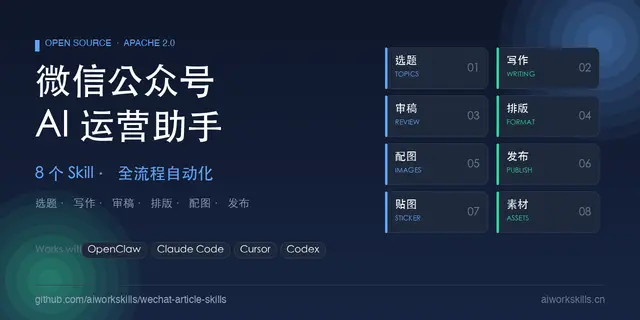
aws-wechat-article-*一条龙套件(共 9 个 slug,入口aws-wechat-article-main)。跨 skill 的相对引用依赖同一skills/目录,建议一并clawhub install全套。源码:https://github.com/aiworkskills/wechat-article-skills
能力披露(Capabilities)
本 skill 调 publish.py 直连微信公众号官方 API 发布图文。会把本篇 article.html 与 imgs/* 文件作为 POST body 上传到微信服务器。
- 凭证读取:
aws.env的WECHAT_{N}_APPID/WECHAT_{N}_APPSECRET(多槽位,N≥1) - 凭证外发:
APPID/APPSECRET以 query string 发给api.weixin.qq.com/cgi-bin/token换access_token;后续请求带access_token。微信返回的 token 只在进程内存短期缓存,不落盘 - 内容外发:封面与正文插图以 multipart 发给
material/add_material;article.html正文与标题/摘要以 JSON POST 发给draft/add、freepublish/submit - 网络目标:默认
api.weixin.qq.com;可用WECHAT_{N}_API_BASE/config.yaml.wechat_api_base自配反代 - 文件读:
.aws-article/config.yaml、aws.env、本篇article.yaml、article.html、imgs/* - 文件写:
publish.py不写article.yaml, ,media_id/publish_id/publish_completed只打印,写回由智能体做(见下「publish_completed门禁」)- 图片超过微信大小限制时会在源图旁生成压缩缓存
<原名>_compressed.jpg(需 Pillow)。这个文件不会被自动清理,也不会被当作正文图上传 article_init.py写本篇article.yaml与可选closing.md
- shell:
{python} {baseDir}/scripts/下的publish.py、getdraft.py、article_init.py
建议:首次运行用 publish_method: draft 只入草稿箱确认效果,再切 published 真正群发。
路由
从选题到发出整条流程 → aws-wechat-article-main。本 skill 单独触发适用于已有 article.html 与封面、只差最后一步上传的场景。
配置检查 ⛔
任何操作前先按 首次引导 · 检测顺序 执行,通过后才继续(或用户明确书面确认「本次不检查」)。单独安装本 skill 时的口径见 branches.md「六」。
脚本与子命令
{baseDir} = 本 SKILL.md 所在目录,所有命令在仓库根执行。




