Vox Director
Turn ONE topic into a finished Vox-style paper-collage explainer / ad video, end to end...
Install
npx skills add Alisa0808/vox-director --skill vox-director -g -a claude-code -y- Repository
- Alisa0808/vox-director2.6k
- Category
- Design
- Updated
- 1mo ago
- License
- MIT
- Context cost
- Mediumabout 3,000 tokens
- Runs scripts
- No, instructions only
What it does
Turn ONE topic into a finished Vox-style paper-collage explainer / ad video, end to end on the Atlas Cloud API + local ffmpeg, script, collage keyframes, motion, voice-over, music, captions, all automated. Use this whenever the user wants a "Vox style" video, a paper/torn-paper collage animation, a "motion collage", a narrated explainer or short ad built from AI-generated collage posters, a scrapbook-style tribute, or wants to turn a topic / product / person into a punchy narrated collage video, even if they don't say the word "Vox". Also use when reproducing Stav Zilber / rom1trs / Higgsfield-style collage ad workflows. Three input modalities: a topic (B-roll), a talking-head video (A-roll mode), or a single photo of a person/product anchored into the collage (C-roll mode). Triggers: "vox video", "collage video", "motion collage", "paper collage explainer", "make a collage ad", "turn this topic into a collage video", "turn my photo/this product shot into a collage video".
Vox Director
Turn a one-line topic into a finished Vox-style paper-collage video: a bold, punchy, narrated explainer/ad where each beat is a torn-paper collage poster that comes alive, with voice-over, music and captions. Runs on one Atlas Cloud API key + local ffmpeg.
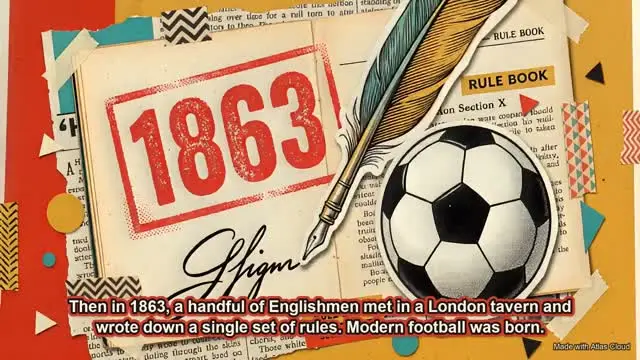
The look is the modern editorial paper-collage popularized by Vox explainers and creators like Stav Zilber / rom1trs: hand-cut paper cut-outs, torn edges, tape, halftone dots, newspaper clippings, bold flat color per beat, big cut-out headlines.
The core idea (read this first)
The Vox collage look and the collage motion are two different steps:
- The look is born in the IMAGE step. Each beat is a finished collage poster made by a text-to-image model. All the collage DNA (torn paper, cut-outs, halftone, bold color, headline text) lives in that image. If the image isn't a rich collage, nothing downstream will save it.
- The motion is added after. By default an AI video model animates the whole poster (the "living poster" path, simple, automated). For dramatic piece-by-piece assembly you cut the poster into parts and drive them with the local keyframe engine (advanced path).
Everything hinges on the prompts. Before writing any image or video prompt, read
references/prompt-guide.md, it has the exact prompt structures that make the difference
between "a real Vox collage" and "a moving PowerPoint".
Prerequisites (check, don't skip)
echo "${ATLASCLOUD_API_KEY:+set}", if empty, tell the user to set it (get one at https://www.atlascloud.ai/console/api-keys) and stop.command -v ffmpeg ffprobe, required for assembly (brew install ffmpegon macOS).python3 -c "import PIL", Pillow, for captions/watermark overlays.
Standard workflow (topic → film)
This is the default, most-automated path. Every stage is one script, all driven by a single
beats.json per project under out/<project>/.





