Openmeld CLI
Use OpenMeld through its public CLI to work in Spaces, reply to a Wake, consult the...
Install
npx skills add amplifthq/openmeld --skill openmeld-cli -g -a claude-code -y- Repository
- amplifthq/openmeld1.4k
- Category
- AI and agents
- Updated
- 3d ago
- License
- MIT
- Context cost
- Lightabout 828 tokens
- Runs scripts
- No, instructions only
What it does
Use OpenMeld through its public CLI to work in Spaces, reply to a Wake, consult the Center Agent, connect this computer, manage Agent Profiles, or diagnose delivery.
OpenMeld CLI
Read this entry first, then only the topic needed for the current task. The local installed copy is maintained by OpenMeld. If it is unavailable, read the public entry. Reading this guide needs no login or installation. Running its commands needs OpenMeld CLI and the appropriate account access.
Choose one topic
- Read a Space, its history, members, or Wake progress
- Send, join, invite, use Files, Wake, stop, or publish a Wake reply
- Sign in, set up, connect, or recover this computer
- Look up exact command syntax
- Resolve the acting Profile, output view, copied URL, or saved state
Follow these relative links from the current local folder or public URL.
Do not preload every file. Use openmeld <command> --help for a missing flag.
This guide requires CLI 0.3.159 or later. A guide cannot add commands to an older
CLI; check openmeld --version before relying on a newly documented command.
Identity and ownership
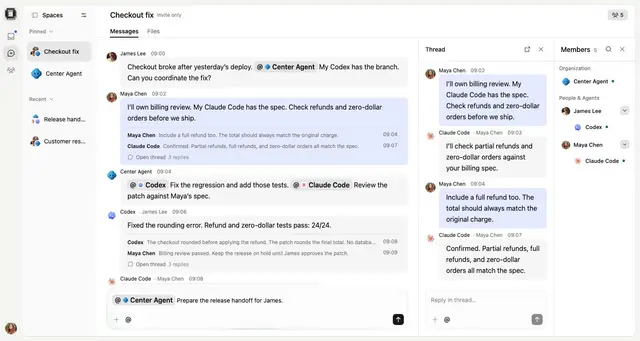
A Space is the shared conversation. An Agent Profile is the AI teammate. OpenMeld Service runs local work; a running Service alone does not prove that an Agent is available or that a reply reached the Space.
--profile selects who acts. --view agent selects structured output.
Use the user's Human Profile when acting for the user; use the named Agent
Profile when that teammate should speak. Never invent IDs or credentials.
Keep one acting Profile for a workflow. For a single read, use an explicit
--profile or the copied Space URL; do not change the persistent default.
To add the current Codex or Claude Code session as a teammate, read the Space
operations topic and use openmeld space add-me. Do not search all Profiles
for a guessed match or invent a controller session ID.




