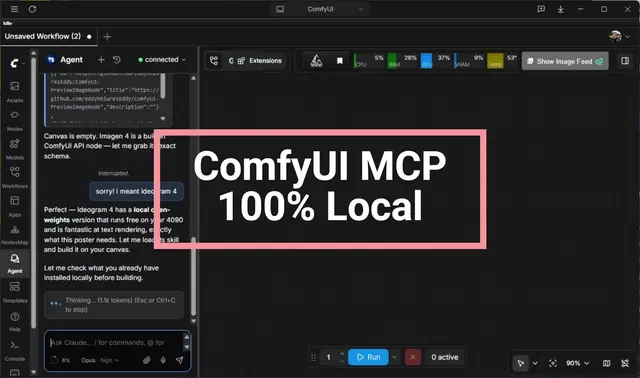
Debug Render
Debug a WRONG or imperfect render (not a hard error) by inspecting inputs and...
Install
npx skills add artokun/comfyui-mcp --skill debug-render -g -a claude-code -y- Repository
- artokun/comfyui-mcp883
- Category
- Testing
- Updated
- 9d ago
- License
- MIT
- Context cost
- Mediumabout 1,515 tokens
- Runs scripts
- No, instructions only
What it does
Debug a WRONG or imperfect render (not a hard error) by inspecting inputs and intermediate steps with run-to-node. Render one branch up to an output, preview-tap latents/masks/preprocessor maps, localize the first bad stage, then fix. Use when a final image/video completes but looks wrong, such as artifacts, wrong subject/pose/composition/color, blur, a ControlNet/IPAdapter/mask/LoRA not taking, or a two-stage refiner or upscale degrading the result. For errors/OOM/missing nodes use the troubleshooting skill.
Debugging renders with run-to-node
When a final asset looks wrong (not when it errors), don't re-roll the whole graph and hope. Localize the fault. Render only as far as one stage and look at what that stage actually produces. The wrong-looking output is downstream of a first bad step. Find that step, fix it there, and everything after it follows.
The tool for this is panel_run with to_node_id ("run to node"), which uses
ComfyUI's native partial execution. Only the target output node plus
everything upstream of it renders; every other branch is skipped. That makes each
probe fast and cheap, and the output is delivered to you automatically, same
as any run. Don't poll.
When to reach for this
- A final image/video is wrong: artifacts, wrong subject/pose/composition, off color, soft/blurry, melted hands, wrong style.
- A conditioner isn't "taking" (ControlNet, IPAdapter, a mask, an inpaint, a LoRA) and you can't tell if the input to it is wrong or the node is wrong.
- A multi-stage pipeline (base → refiner, txt2img → upscale, decode → post) degrades, and you need to see which stage introduces the problem.
- You only want to test one branch of a multi-output graph without paying for the others.
If instead the run fails (red error, OOM, missing node, black image from a crash), use the troubleshooting skill. This skill is for outputs that complete but look wrong.
The one hard rule: to_node_id must be an OUTPUT node
ComfyUI can only run to an output node: SaveImage, PreviewImage, SaveVideo,
SaveAudio, etc. (these show is_output: true in panel_query_graph detail rows). A bare
KSampler / VAEDecode / preprocessor is not an output node, so you can't target
it directly. To inspect a point that isn't already an output, add a preview
tap there:





