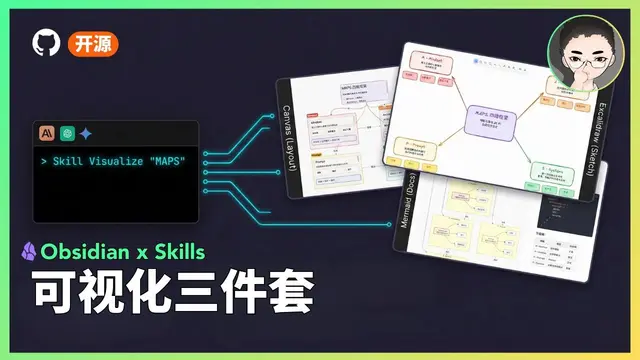
Obsidian Canvas Creator
Create Obsidian Canvas files from text content, supporting both MindMap and freeform...
Install
npx skills add axtonliu/axton-obsidian-visual-skills --skill obsidian-canvas-creator -g -a claude-code -y- Repository
- axtonliu/axton-obsidian-visual-skills3.7k
- Category
- Engineering
- Updated
- 4mo ago
- License
- MIT
- Context cost
- Mediumabout 1,549 tokens
- Runs scripts
- No, instructions only
What it does
Create Obsidian Canvas files from text content, supporting both MindMap and freeform layouts. Use this skill when users want to visualize content as an interactive canvas, create mind maps, or organize information spatially in Obsidian format.
Obsidian Canvas Creator
Transform text content into structured Obsidian Canvas files with support for MindMap and freeform layouts.
When to Use This Skill
- User requests to create a canvas, mind map, or visual diagram from text
- User wants to organize information spatially
- User mentions "Obsidian Canvas" or similar visualization tools
- Converting structured content (articles, notes, outlines) into visual format
Core Workflow
1. Analyze Content
Read and understand the input content:
- Identify main topics and hierarchical relationships
- Extract key points, facts, and supporting details
- Note any existing structure (headings, lists, sections)
2. Determine Layout Type
Ask user to choose or infer from context:
MindMap Layout:
- Radial structure from center
- Parent-child relationships
- Clear hierarchy
- Good for: brainstorming, topic exploration, hierarchical content
Freeform Layout:
- Custom positioning
- Flexible relationships
- Multiple connection types
- Good for: complex networks, non-hierarchical content, custom arrangements
3. Plan Structure
For MindMap:
- Identify central concept (root node)
- Map primary branches (main topics)
- Organize secondary branches (subtopics)
- Position leaf nodes (details)
For Freeform:
- Group related concepts
- Identify connection patterns
- Plan spatial zones
- Consider visual flow
4. Generate Canvas
Create JSON following the Canvas specification:
Node Creation:
- Assign unique 8-12 character hex IDs
- Set appropriate dimensions based on content length
- Apply consistent color schemes
- Ensure no coordinate overlaps
Edge Creation:
- Connect parent-child relationships
- Use appropriate arrow styles
- Add labels for complex relationships
- Choose line styles (straight for hierarchy, curved for cross-references)
Grouping (Optional):
- Create visual containers for related nodes
- Use subtle background colors
- Add descriptive labels



