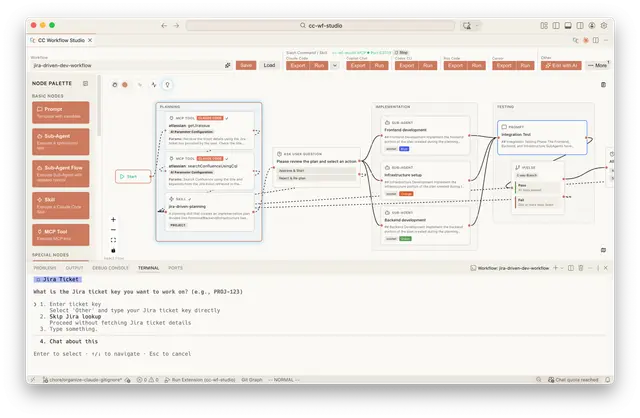
Ccwf CLI
Use the `ccwf` CLI (from @cc-wf-studio/cli) to render, validate, preview, export, or...
Install
npx skills add breaking-brake/cc-wf-studio --skill ccwf-cli -g -a claude-code -y- Repository
- breaking-brake/cc-wf-studio5.4k
- Category
- AI and agents
- Updated
- 29d ago
- License
- See repository
- Context cost
- Mediumabout 3,000 tokens
- Runs scripts
- No, instructions only
What it does
Use the `ccwf` CLI (from @cc-wf-studio/cli) to render, validate, preview, export, or run cc-wf-studio workflow JSON files from the terminal. Apply whenever the user mentions viewing, visualizing, checking, executing, or converting a workflow under `.vscode/workflows/` (or any `*workflow*.json`), wants a Mermaid diagram of a workflow, asks to "see" / "preview" / "open" a workflow, or wants to run a workflow as a Claude Code Skill without opening VSCode.
ccwf CLI
ccwf is the command-line entry into cc-wf-studio, a visual AI-agent workflow tool. It treats .vscode/workflows/*.json workflow files as inputs and lets you render them as Markdown, validate the schema, open them in a browser-based viewer, convert them into Agent Skills, or execute them. The same workflow JSON also drives the VSCode extension and an MCP server, so you can pick whichever interface fits the situation.
This Skill teaches Claude how to recognise when ccwf is the right answer and which subcommand to reach for. The subcommands and flags listed here are the source of truth, if behaviour seems off, check ccwf <subcommand> --help first.
Prerequisites
Confirm ccwf is available before running any other subcommand:
ccwf --version
If ccwf is not on PATH:
- Preferred: install globally,
npm install -g @cc-wf-studio/cli - Without install: prefix every command with
npx @cc-wf-studio/cli(e.g.npx @cc-wf-studio/cli render <file>) - In a project:
pnpm add -D @cc-wf-studio/cliand run viapnpm exec ccwf
If the user has a VSCode workspace and you can't find a workflow file, search .vscode/workflows/*.json first; that's the canonical location.
Core workflow
The natural flow when the user has a workflow file in hand:
ccwf validate <file>, schema-check it. Exit 0 = clean, exit 1 = errors. Run this first whenever you receive a workflow from elsewhere.ccwf preview <file>, opens a read-only viewer (Mermaid + per-node Markdown) in the browser. Use this when the user says "show me" / "what's in this workflow?" / "見せて".ccwf export <file>orccwf run <file>, materialises the workflow as Claude Code (or another agent's) Skill files. Userunwhen the user wants the next step to be actually executing the workflow withclaude.
If a step fails, stop and surface the exact error to the user before moving on.




