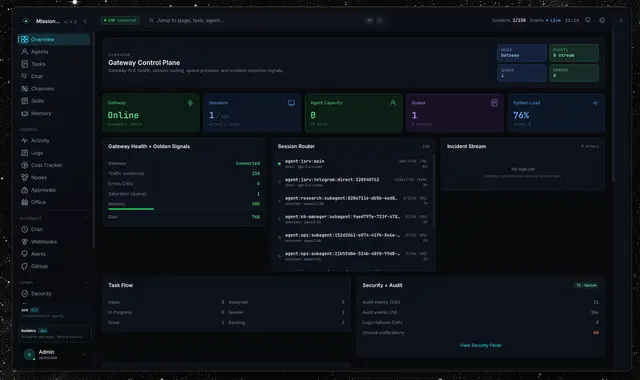
Mission Control
Registers agents, manages tasks and syncs skills via Mission Control APIs.
Install
npx skills add builderz-labs/mission-control --skill mission-control -g -a claude-code -y- Repository
- builderz-labs/mission-control6.4k
- Category
- AI and agents
- Updated
- 7d ago
- License
- MIT
- Context cost
- Mediumabout 2,037 tokens
- Runs scripts
- No, instructions only
What it does
Interact with Mission Control, AI agent orchestration dashboard. Use when registering agents, managing tasks, syncing skills, or querying agent/task status via MC APIs.
Mission Control Agent Skill
Mission Control (MC) is an AI agent orchestration dashboard with real-time SSE/WebSocket, a skill registry, framework adapters, and RBAC. This skill teaches agents how to interact with MC APIs programmatically.
Quick Start
Base URL: http://localhost:3000 (default Next.js dev) or your deployed host.
Auth header: x-api-key: <your-api-key>
Register + heartbeat in two calls:
# 1. Register
curl -X POST http://localhost:3000/api/adapters \
  -H "Content-Type: application/json" \
  -H "x-api-key: $MC_API_KEY" \
  -d '{
    "framework": "generic",
    "action": "register",
    "payload": { "agentId": "my-agent-01", "name": "My Agent" }
  }'

# 2. Heartbeat (repeat every 5 minutes)
curl -X POST http://localhost:3000/api/adapters \
  -H "Content-Type: application/json" \
  -H "x-api-key: $MC_API_KEY" \
  -d '{
    "framework": "generic",
    "action": "heartbeat",
    "payload": { "agentId": "my-agent-01", "status": "online" }
  }'
Authentication
MC supports two auth methods:
| Method | Header | Use Case |
|---|---|---|
| API Key | x-api-key: <key> or Authorization: Bearer <key> | Agents, scripts, CI/CD |
| Session cookie | Cookie: __Host-mc-session=<token> (HTTPS) or mc-session=<token> (HTTP) | Browser UI |
Roles (hierarchical): viewer < operator < admin
- viewer, Read-only access (GET endpoints)
- operator, Create/update agents, tasks, skills, use adapters
- admin, Full access including user management
API key auth grants admin role by default. The key is set via API_KEY env var or the security.api_key DB setting.
Agents can identify themselves with the optional X-Agent-Name header for attribution in audit logs.
Agent Lifecycle
register → heartbeat (5m interval) → fetch assignments → report task status → disconnect
All lifecycle actions go through the adapter protocol (POST /api/adapters).




