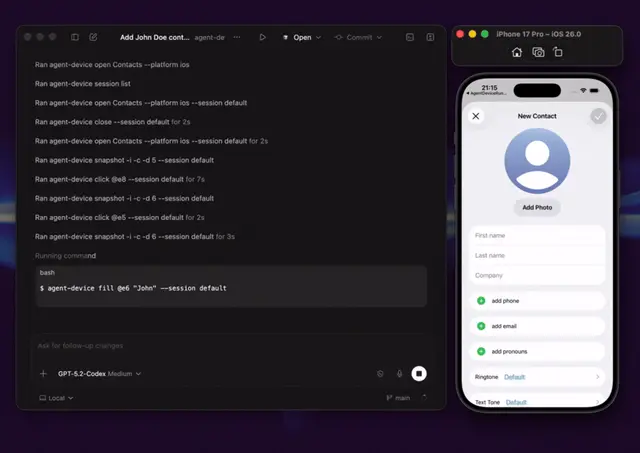
IOS Simulator
Verify and debug native, React Native, Expo, or Flutter apps on an iOS Simulator with...
Install
npx skills add callstack/agent-device --skill ios-simulator -g -a claude-code -y- Repository
- callstack/agent-device5.2k
- Category
- Design
- Updated
- 3d ago
- License
- MIT
- Context cost
- Lightabout 332 tokens
- Runs scripts
- No, instructions only
What it does
Verify and debug native, React Native, Expo, or Flutter apps on an iOS Simulator with agent-device. Use when an agent needs to launch an app, inspect its live UI, tap, type, scroll, validate a code change, collect failure evidence, or reproduce a workflow on an iPhone or iPad Simulator.
iOS Simulator
Require the agent-device CLI to be installed separately before driving a simulator:
npm install -g agent-device@latest
Treat installation and upgrades as user-owned setup steps. Do not run that command autonomously or substitute a mutable npx -y agent-device@latest invocation.
For a normal app-driving task, start immediately. Do not probe first with --help, --version, devices, appstate, snapshot, or screenshot. Target iOS explicitly when opening an app or bundle id:
agent-device open <app-or-bundle-id> --platform ios --foreground
Follow the initial interactive snapshot and corrective error hints. If the shell reports that agent-device is unavailable, stop and ask the user to install it or expose their existing installation on PATH.
Only when the task is specialized or a command shape is unclear, read the relevant version-matched help topic:
agent-device help validate        # engineering validation and build freshness
agent-device help debugging       # screenshots, logs, traces, video, and failures
agent-device help react-native    # React Native and Expo runtime guidance
agent-device help react-devtools  # React components, props/state/hooks, render profiling
agent-device help scripting       # durable replay and CI workflows





