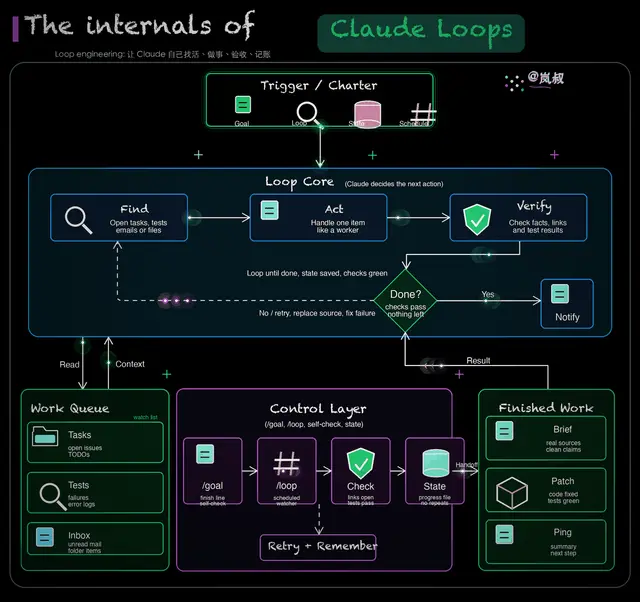
Lanshu Animated Architecture Diagram
Create premium hand-drawn architecture and process diagrams in the Lanshu animated GIF...
Install
npx skills add cclank/lanshu-animated-architecture-diagram --skill lanshu-animated-architecture-diagram -g -a claude-code -y- Repository
- cclank/lanshu-animated-architecture-diagram1k
- Category
- Design
- Updated
- 2mo ago
- License
- MIT
- Context cost
- Lightabout 874 tokens
- Runs scripts
- No, instructions only
What it does
Create premium hand-drawn architecture and process diagrams in the Lanshu animated GIF style, with editable .excalidraw files, static PNG previews, and genuinely animated GIFs with moving flow highlights. Use this skill whenever the user asks for 岚叔动态架构图, Excalidraw-like diagrams, DailyDoseOfDS-style black-background sketches, animated architecture/process GIFs, polished flowcharts, visual explanations of articles or system designs, or asks to replicate or improve a reference diagram with hand-drawn animated effects.
Lanshu Animated Architecture Diagram
Create a polished black-background hand-drawn technical diagram with:
- Editable
.excalidrawsource - Static
.pngpreview - Animated
.gifwith moving glow points and pulsing module highlights
Use the bundled renderer for deterministic output. Avoid external icon libraries unless the user explicitly provides audited assets.
Workflow
-
Extract the diagram content.
- For an article or long post, identify the core architecture, actors, stages, data flow, decisions, and final outputs.
- For a reference image, preserve the visual grammar: title structure, panels, arrows, density, and signature placement.
-
Create a spec JSON.
- Start from
assets/default-spec.json. - Keep labels short. Read
references/spec-format.mdwhen field details or copy length guidance are needed. - Use the user’s language for explanatory labels unless the reference style clearly calls for English titles.
- Start from
-
Render the outputs.
python /path/to/skill/scripts/render_animated_diagram.py \
  --spec /path/to/spec.json \
  --outdir /path/to/output-dir \
  --basename descriptive-name \
  --verify \
  --check
-
Validate before delivery.
- Confirm GIF dimensions, FPS, frame count, and duration with
ffprobe. - Use
--verifyoutput or--checkto prove the GIF is not static. - Confirm
.excalidrawJSON has unique IDs, text usesfontFamily: 5, andfilesis empty.--checkvalidates these output contracts automatically. - Open the PNG preview visually and fix overlap, cramped text, or weak hierarchy.
- Confirm GIF dimensions, FPS, frame count, and duration with
-
Deliver the three files.
- Show the GIF preview when the interface supports local images.
- Link the PNG and
.excalidrawsource.





