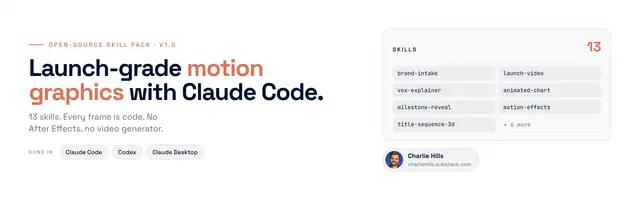
Launch Video
Make a 30-45 second product launch video in code with Claude Code, the kind SaaS...
Install
npx skills add charlie947/motion-graphics-skills --skill launch-video -g -a claude-code -y- Repository
- charlie947/motion-graphics-skills519
- Category
- AI and agents
- Updated
- 24d ago
- License
- MIT
- Context cost
- Lightabout 1,012 tokens
- Runs scripts
- No, instructions only
What it does
Make a 30-45 second product launch video in code with Claude Code, the kind SaaS companies post on launch day. One sentence split across scenes, real product screens with slow camera moves, a typed prompt, a proof beat and a clear call to action. Use when someone says "launch video", "promo video for my product", "announce my course/cohort/offer", "make a launch reel" or "trailer for my product".
Launch video, built in code
A launch video sells one thing in 30-45 seconds. You build it as one HTML file with window.seek(seconds), then export to MP4.
Before you start: read brand.md and MOTION.md if they exist. If not, run brand-intake first, or ask for hex codes, a font and a logo file. Never call a result on-brand without them.
Step 1: Ask for five things, then wait
- What's launching, in one line. Example: "LinkedIn AI OS, a six-week cohort that sets up your content system."
- The one sentence the video says, split into 3-5 beats. Example: "Your next post, / in your voice, / checked before you see it."
- Proof. Real screenshots of the product, real results with their source, or real customer posts. Attached files only.
- The call to action, word for word, exactly as it appears on the sales page.
- Brand. Hex codes, font, logo file. Plus the size: 1920 x 1080, 1080 x 1350 or 1080 x 1920.
Never invent a price, a date, a "spots left" count, a testimonial or a result.
What "premium" means here (learned the hard way)
Three first drafts were rejected as "not premium" and "not my brand colours". What fixed it:
- Your real brand colours, sampled from your landing page or your best graphic. Never a default palette.
- Glass UI. Product surfaces as frosted, liquid-glass panels with soft depth, like Apple's current UI.
- The prompt typed live into a real-looking input box. That is the one place typing belongs.
- Real, recent work on the proof cards, not old examples.
- Variety. No two beats share the same layout.
Build the first 10 seconds in two or three styles first. Pick one. Only then build the rest.
Step 2: Lay out the beats
Default 7 beats, 45 seconds:




