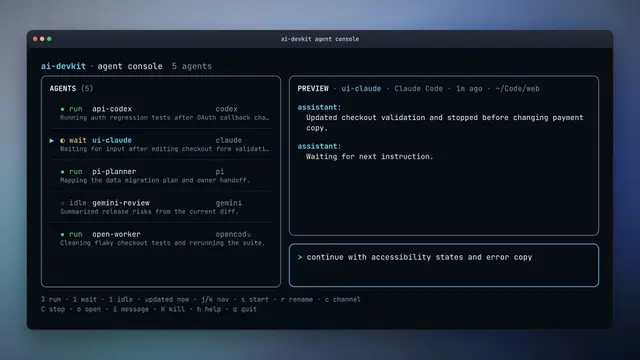
Remote From Telegram
AI DevKit · Connect the current agent session to an available Telegram channel bridge.
Install
npx skills add codeaholicguy/ai-devkit --skill remote-from-telegram -g -a claude-code -y- Repository
- codeaholicguy/ai-devkit1.7k
- Category
- AI and agents
- Updated
- 4d ago
- License
- Apache-2.0
- Context cost
- Lightabout 545 tokens
- Runs scripts
- No, instructions only
What it does
AI DevKit · Connect the current agent session to an available Telegram channel bridge.
Remote From Telegram
Use this skill when the user wants to control or chat with the current session from Telegram.
Prefer the installed ai-devkit binary; if unavailable, use npx ai-devkit@latest. Run AI DevKit commands outside filesystem sandboxes because they inspect host-level agent and channel state.
Workflow
-
Check readiness:
ai-devkit status --jsonIf AI DevKit is not ready, use
ai-devkit-setupskill first. Stop if setup leaves manual actions. -
Inspect channels and agents:
ai-devkit channel list ai-devkit agent list --json -
Identify the current agent by matching this session to an
agent list --jsonentry. If unclear, ask for the agent name. -
Find configured Telegram channels. If none exist, tell the user to run:
ai-devkit channel connect telegramStop after giving that action.
-
Choose a channel. Use the requested channel or the only available Telegram channel. If multiple Telegram channels are available, ask the user which one to use. Available means Telegram, enabled, configured with bot credentials, and not already running. Do not reject a Telegram channel only because it is not authorized yet; Telegram authorization cannot complete until after the bridge is started and the user sends a message to the bot.
-
If no Telegram channel is available because bridges are already running, ask before stopping one. After confirmation:
ai-devkit channel stop <channel> -
Start the bridge in the background:
ai-devkit channel start <channel> --agent <agent-name> --daemon -
Report the connected channel, agent name, and how to stop it:
ai-devkit channel stop <channel>. If the channel was not authorized before start, explicitly tell the user the bridge is running and they must now send any message to the Telegram bot to authorize that chat before using it.




