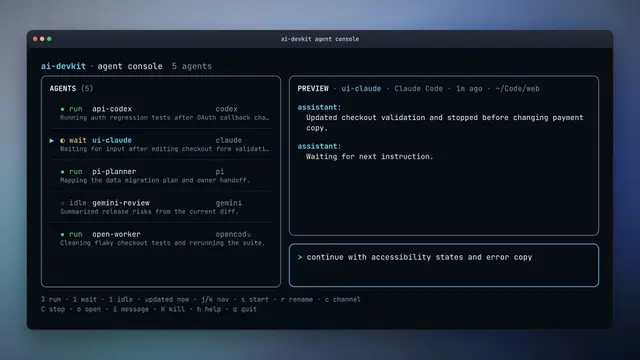
Session Compact
AI DevKit · Compact a historical AI coding session with Jev when context is long, work...
Install
npx skills add codeaholicguy/ai-devkit --skill session-compact -g -a claude-code -y- Repository
- codeaholicguy/ai-devkit1.7k
- Category
- Engineering
- Updated
- 4d ago
- License
- Apache-2.0
- Context cost
- Lightabout 507 tokens
- Runs scripts
- No, instructions only
What it does
AI DevKit · Compact a historical AI coding session with Jev when context is long, work is handed off or resumed, or durable continuation facts and memory candidates need extraction.
Session Compact
Use AI DevKit's Jev-backed CLI to create a structured continuation artifact from a historical session. Prefer this command over a hand-written compact when it is available.
When to Use
- Context is getting long and useful state needs to survive compaction.
- Work is being handed to another agent or resumed after becoming stale.
- A complex implementation or debugging session is closing.
- Durable memory candidates or task-progress facts need to be identified after a long run.
Workflow
- Find the session ID when it is not already known:
npx ai-devkit@latest agent sessions --all - Produce Markdown for a human handoff:
npx ai-devkit@latest agent session compact --id <session-id> - Use JSON for automation or structured inspection:
npx ai-devkit@latest agent session compact --id <session-id> --format json - Add
--type <provider>when the same session ID is ambiguous across providers. - Review the artifact before using its resume prompt, memory candidates, or validation claims. Compaction preserves selected transcript evidence; it does not independently verify that evidence.
Jev Availability
The command requires TYPESAFE_API_KEY. If it reports:
Jev is unavailable because TYPESAFE_API_KEY is not set.
report that result clearly and stop the compaction attempt. Do not silently replace it with hand-written summarization or imply that Jev classified the session. A user may explicitly request a separate manual summary afterward.
Never print, log, store, or pass the API key as a command argument. The CLI reads it from the environment.



