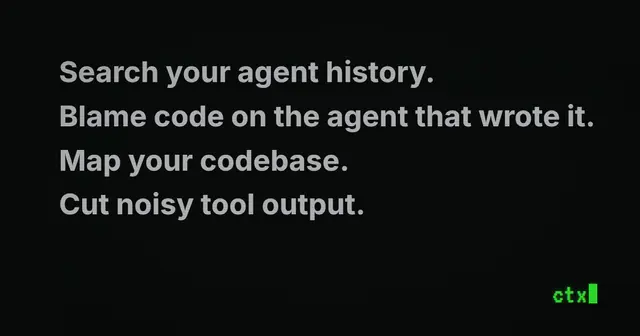
Ctx
Use ctx as working memory for prior agent work.
Install
npx skills add ctxrs/ctx --skill ctx -g -a claude-code -y- Repository
- ctxrs/ctx1.2k
- Category
- AI and agents
- Updated
- 8d ago
- License
- Apache-2.0
- Context cost
- Lightabout 1,353 tokens
- Runs scripts
- No, instructions only
What it does
Use ctx as working memory for prior agent work. Before starting or continuing work in an unfamiliar area, resuming earlier work, or revisiting an investigation, search prior sessions to ground yourself in earlier context. Use ctx blame to trace a line, file, commit, or PR to the agent session that produced it. Use when prior decisions, constraints, attempts, tool calls, transcript evidence, or code provenance may matter. Use ctx graph queries on indexed projects to follow calls and dependencies and understand what a change might affect.
ctx
Use ctx to ground your work in relevant prior agent sessions. Search history for decisions and attempts, trace provenance with blame, and inspect code relationships with the graph. ctx retrieves evidence; you perform the analysis.
Choose the operation
- Prior work, decisions or errors:
ctx search "<query>". - Which session produced code:
ctx blame file <path>orctx blame commit <sha>; PR targets are also supported. - Code relationships or potential impact:
ctx graph search <symbol>,ctx graph callers <symbol>, orctx graph impact <symbol>. - Requested or explicitly opted-in output compaction:
ctx sift -- PROGRAM ARG...for a command, orctx sift compact <file>for existing output.
These commands are built into the installed ctx executable. Graph and output
commands do not require history setup. Only history search and blame need
indexed agent history: inspect ctx status and ctx sources; run ctx setup
if history has not been initialized. First indexing can take time.
If ctx or relevant evidence is unavailable, state the limit rather than
inventing results.
Read documentation on demand instead of guessing flags or behavior:
ctx docs show unified-context
ctx docs search "<topic>"
ctx docs show <topic>
ctx <command> --help
Installed help and embedded docs match the executable. For installation, see ctx.rs; install tools only when appropriate to the task.
History and blame
Before starting or continuing unfamiliar work, search for relevant earlier decisions, constraints, failed attempts and evidence. Start with normal language, then narrow by workspace, file, time or session:
ctx search "<query>" --workspace <workspace> --since 30d
ctx search "<query>" --file <path>
ctx search "<query>" --session <ctx-session-id>
ctx show event <ctx-event-id> --window 5
ctx show session <ctx-session-id>
ctx locate session <ctx-session-id>




