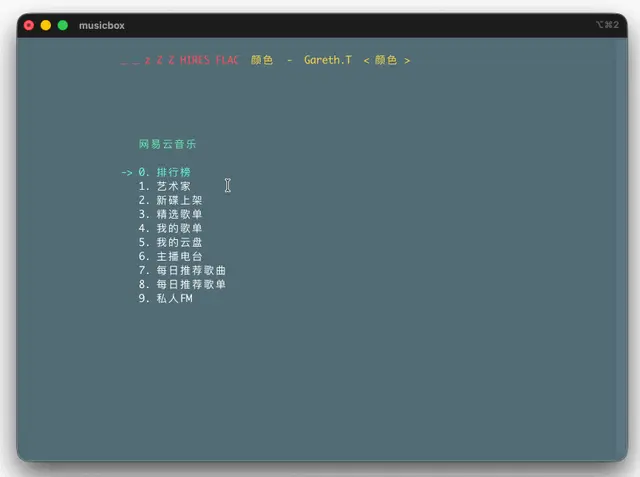
MusicBox Control
Plays, pauses, seeks and searches NetEase Music through the musicbox CLI.
Install
npx skills add darknessomi/musicbox --skill musicbox -g -a claude-code -y- Repository
- darknessomi/musicbox9.9k
- Category
- Media
- Updated
- 8d ago
- License
- MIT
- Context cost
- Lightabout 1,292 tokens
- Runs scripts
- No, instructions only
What it does
Use when the user wants to play/pause/skip music, control volume, seek, search songs/playlists, query NetEase Music data, or operate NetEase MusicBox. Drives MusicBox through the `musicbox` CLI + daemon; never simulates terminal keypresses to the curses TUI.
musicbox 控制规则
黄金法则
- 通过
musicbox <cmd> --json操作,绝不向 curses TUI 模拟按键。 - 重要动作后调
musicbox status --json读回真实状态再回复用户,不要"发完命令就假设成功"。 play/next/prev的即时返回值常滞后(先stopped或旧进度);sleep 1, 2 秒后再status再下结论。- 数据类命令(search/artist/album/playlist/toplist/...)无状态,直接调,不需要 daemon。
命令速查
| 类别 | 命令 |
|---|---|
| 播放控制 | play [--id <id>|--playlist <id>|--index <n>|--artist <id>|--album <id>|--songs <ids...>] / pause / resume / toggle / stop |
| 切歌/进度 | next [n] / prev [n] / seek <秒|+n|-n> |
| 音量/模式 | volume <0-100|+n|-n> / mode <ordered|ordered-loop|single-loop|random|random-loop> |
| 状态/歌词 | status / lyrics --current |
| 队列 | queue list / queue add <id...> / queue play <index> / queue clear --yes |
| 守护进程 | daemon start|stop|status|restart |
| 搜索 | search <keyword> --type song|artist|album|playlist|dj |
| 歌曲/歌单 | song info <id> / song url <id> [--quality lossless] / playlist show <id> |
| 榜单/推荐 | toplist [--index n] / recommend songs|playlists(需登录) / fm(需登录) |
| 评论/喜爱 | comments <id> / like <id>(需登录) |
| 查询歌手/专辑 | artist <id> / album <id> |
| 下载 | download --artist/--album/--songs/--playlist |
| 认证/配置 | auth status|login|logout / config get <key> / config list |
任务配方
搜歌并播放
musicbox search <关键词> --type song --json   # 取 data[0].song_id
musicbox play --id <song_id> --json
# sleep 1, 2s
musicbox status --json
暂停 / 继续
当前 state | 命令 |
|---|---|
paused | musicbox resume --json → status |
stopped | 不要 resume;用 play --id <id>、play --index <n>,或队列非空时 play |
| 换歌/换歌手 | 用 play --id,不要假设 resume 能接上之前的暂停 |





