Drive Desktop Cdp
Drive the running OpenWork app over CDP from the shell, headless by default (nothing...
Install
npx skills add different-ai/openwork --skill drive-desktop-cdp -g -a claude-code -y- Repository
- different-ai/openwork24.4k
- Category
- Design
- Updated
- 3d ago
- License
- See repository
- Context cost
- Lightabout 523 tokens
- Runs scripts
- Yes, review before use
What it does
Drive the running OpenWork app over CDP from the shell, headless by default (nothing opens on screen). Evaluate JS, take screenshots, open a new session, send a prompt with a chosen model, wait for the run to finish. Use when checking a UI change by hand in a world or pnpm dev, or when reproducing a chat state.
Drive the app over CDP
For verdicts, write or run an evals/core journey or evals/proofs proof (write-a-spec, run-tests). This skill is for checking changes by hand and reproducing states quickly.
Find the app
Default to the app in headless Chrome. It runs this checkout (Vite hot reload included) and opens nothing on the developer's screen:
pnpm world up dev-app-web --detach -- --browser   # prints webUrl and cdp http://127.0.0.1:<port>
pnpm world down dev-app-web                        # when you are done
Use a desktop window only when the change needs the desktop shell (titlebar, native menus, deep links, the built-in browser pane, updater, quit and relaunch) or the user asks for it. A desktop window opens and takes focus on this computer:
pnpm dev: CDP onhttp://127.0.0.1:9823.pnpm world up live-desktop -- --allow-shared-stateprintscdp http://127.0.0.1:<port>and uses the real installed profile.
Set CDP_URL to the address the world printed for every command.
Commands
S=.opencode/skills/drive-desktop-cdp/scripts/cdp.mjs
export CDP_URL=http://127.0.0.1:55322

node $S new-session                                 # always start a fresh session first
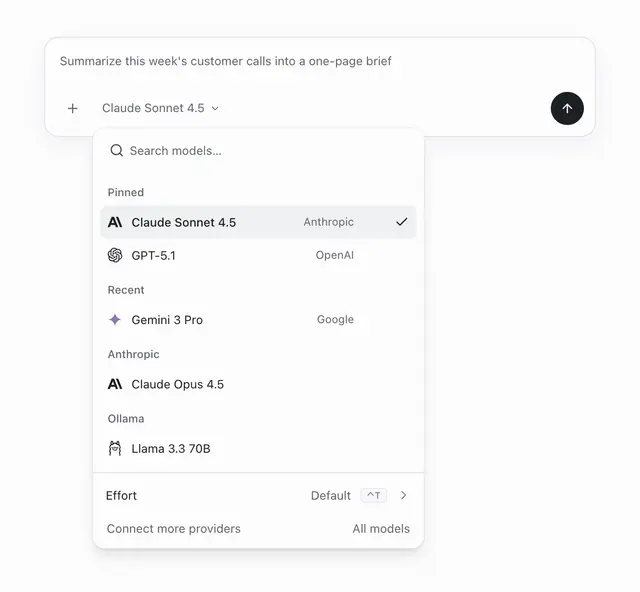
node $S send "Claude Opus 5.5" "Say hello"          # pick the model by its picker name, then send
node $S wait-idle 180                               # until the Run task button is back
node $S shot /tmp/after.png                         # screenshot of the whole page
node $S eval 'document.querySelector("main")?.innerText.slice(-500)'





