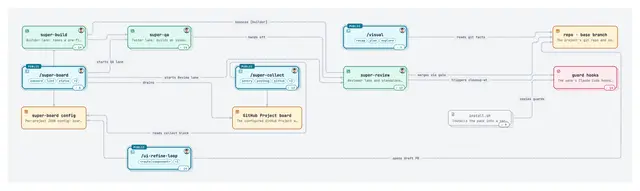
Visual
Turn the current work into one polished, self-contained HTML visual page, a recap of a...
Install
npx skills add EricTechPro/super-board --skill visual -g -a claude-code -y- Repository
- EricTechPro/super-board577
- Category
- Git and review
- Updated
- 6d ago
- License
- MIT
- Context cost
- Lightabout 1,399 tokens
- Runs scripts
- Yes, review before use
What it does
Turn the current work into one polished, self-contained HTML visual page, a recap of a branch's changes, a plan, a map of a folder, endpoint set, or architecture, or an interactive drill-down map of a skill pack or system (zoom, pan, click a node for details, double-click to open its inner view). Use when the user runs /visual or asks to visualise, picture, or visually recap a branch, PR, diff, plan, or part of a codebase, or to map a skill pack, its lanes, scripts, and hooks.
/visual
One command, one page. You write a data.json; scripts/visual.py render injects it into assets/template.html, which draws everything inline (SVG diagrams, file map, diffs) with no build step and no runtime CDN. Paths below are relative to this skill's folder; run the script from inside the project being visualised.
Pick the mode
An argument wins: /visual recap [base], /visual plan [file], /visual map [skills-dir or map.json], /visual <path or thing> (explore).
With no argument, run python3 scripts/visual.py detect and take the first that holds:
- A plan was drafted in this conversation and not yet built → plan, from that text.
suggestedisrecap(branch ahead of base, or uncommitted changes) → recap.planCandidatesis non-empty → plan, from the newest one.- Otherwise → explore the current folder.
Say the chosen mode and its source in one line, then keep going.




