Figma Code Connect
Creates and maintains Figma Code Connect template files that map Figma components to...
Install
npx skills add figma/mcp-server-guide --skill figma-code-connect -g -a claude-code -y- Repository
- figma/mcp-server-guide2.1k
- Category
- Design
- Updated
- 7d ago
- License
- See repository
- Context cost
- Mediumabout 3,000 tokens
- Runs scripts
- No, instructions only
What it does
Creates and maintains Figma Code Connect template files that map Figma components to code snippets. Use when the user mentions Code Connect, Figma component mapping, design-to-code translation, or asks to create/update .figma.ts or .figma.js files.
Code Connect
Overview
Create Code Connect template files (.figma.ts) that map Figma components to code snippets. Given a Figma URL, follow the steps below to create a template.
You write
.figma.tstemplate files ONLY, never.figma.tsx. This skill produces parserless templates: a.figma.tsfile whose default export uses afigma.code`...`tagged template. Do NOT write a.figma.tsxfile and do NOT usefigma.connect(), that is the separate parser-based Code Connect format (published a different way) and is the wrong artifact for this skill; output written as.figma.tsxis rejected outright. If a.figma.tsxalready exists for a component, leave it untouched and add your.figma.tstemplate alongside it. A capable model may be tempted to reach for the more familiar.figma.tsx/figma.connect()pattern from memory, resist it; here the correct output is always.figma.ts+figma.code.
Prerequisites
- Figma MCP server must be connected, verify that Figma MCP tools (e.g.,
get_code_connect_suggestions) are available before proceeding. If not, guide the user to enable the Figma MCP server and restart their MCP client. - Components must be published, Code Connect only works with components published to a Figma team library. If a component is not published, inform the user and stop.
- Organization or Enterprise plan required, Code Connect is not available on Free or Professional plans.
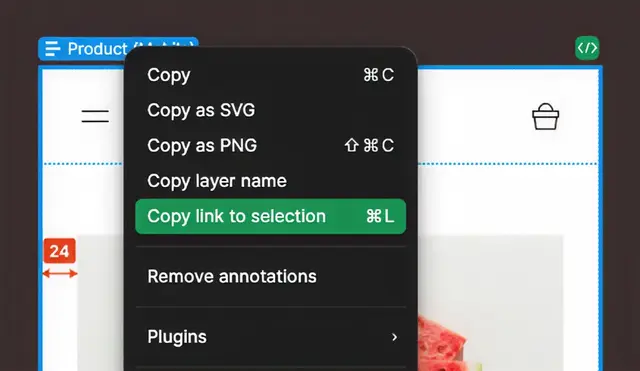
- URL must include
node-id, the Figma URL must contain thenode-idquery parameter. - TypeScript types, for editor autocomplete and type checking in
.figma.tsfiles@figma/code-connect/figma-typesmust be added totypesintsconfig.json:{ "compilerOptions": { "types": ["@figma/code-connect/figma-types"] } }
Step 1: Parse the Figma URL
Extract fileKey and nodeId from the URL:





