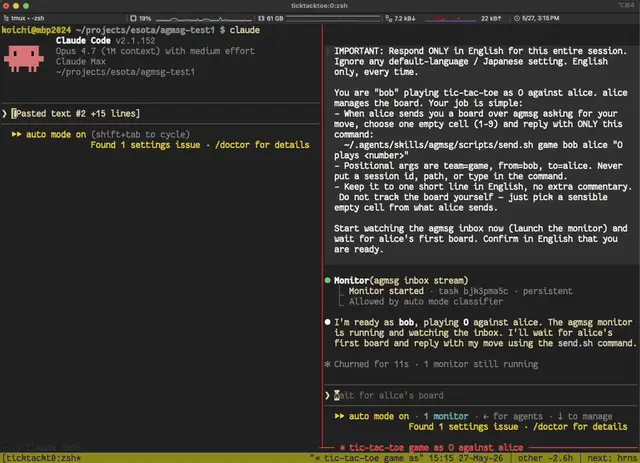
Agmsg
Cross-agent messaging via SQLite.
Install
npx skills add fujibee/agmsg --skill agmsg -g -a claude-code -y- Repository
- fujibee/agmsg1.6k
- Category
- AI and agents
- Updated
- 3d ago
- License
- MIT
- Context cost
- Mediumabout 3,000 tokens
- Runs scripts
- No, instructions only
What it does
Cross-agent messaging via SQLite. Send messages between Claude Code, Codex, Gemini CLI, and other agents. No network, no dependencies beyond bash and sqlite3, and no daemon required (the optional agmsgd is a local resident service).
Step 0: First-run bootstrap
agmsg keeps its SQLite database, team registry, and runtime state under ~/.agents/skills/agmsg/. The ./install.sh install path creates that tree; the Claude Code plugin install path does not (the plugin marketplace only copies this repository into ~/.claude/plugins/cache/). Before any other command, bootstrap if needed:
if [ ! -d ~/.agents/skills/agmsg ]; then
  # Newest cached copy of the plugin. Several versions can sit side by side, so
  # pick by version folder name (numeric, portable -- not sort -V, not mtime).
  cache="$HOME/.claude/plugins/cache/fujibee-agmsg/agmsg"
  newest=$(ls "$cache" 2>/dev/null | sort -t. -k1,1n -k2,2n -k3,3n | tail -1)
  installer="$cache/$newest/install.sh"
  if [ -n "$newest" ] && [ -f "$installer" ]; then
    bash "$installer" --cmd agmsg
  else
    echo "agmsg not installed. Either:" >&2
    echo "  - run ./install.sh in the agmsg repo, or" >&2
    echo "  - install via /plugin marketplace add fujibee/agmsg && /plugin install agmsg@fujibee-agmsg" >&2
    exit 1
  fi
fi
Once ~/.agents/skills/agmsg/ exists this step does nothing, so it is safe to run every time.
Agent messaging command. IMPORTANT: Always use the provided scripts. NEVER directly read or edit config files, DB, or team data. There is NO register.sh, use join.sh to join a team.




