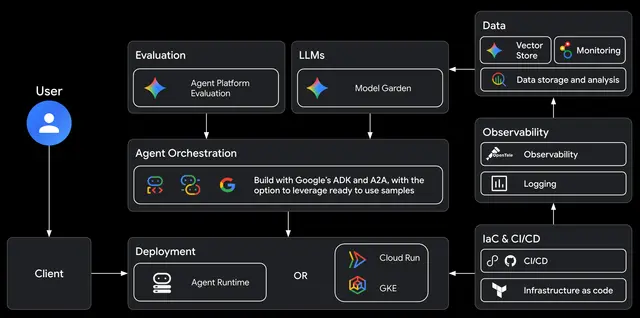
Google Agents CLI Observability
Should be used when the user wants to "set up tracing", "monitor my agent", "configure...
Install
npx skills add google/agents-cli --skill google-agents-cli-observability -g -a claude-code -y- Repository
- google/agents-cli6.3k
- Category
- Testing
- Updated
- 8d ago
- License
- Apache-2.0
- Context cost
- Mediumabout 2,803 tokens
- Runs scripts
- No, instructions only
What it does
This skill should be used when the user wants to "set up tracing", "monitor my agent", "configure logging", "add observability", "debug production traffic", or needs guidance on monitoring deployed agents, including ADK (Agent Development Kit) agents. Covers Cloud Trace, prompt-response logging, BigQuery Agent Analytics, third-party integrations (AgentOps, Phoenix, MLflow, etc.), and troubleshooting. Part of the agents-cli skills suite. Do NOT use for deployment setup (use google-agents-cli-deploy) or API code patterns (use google-agents-cli-adk-code).
Observability Guide
Cloud Trace works out of the box, no infrastructure needed. Prompt-response logging and BigQuery Agent Analytics require Terraform-provisioned infrastructure (service account, GCS bucket, BigQuery dataset). Run
agents-cli infra single-project --apply --project PROJECT_IDto provision these resources. Go projects get the BigQuery telemetry stack too; the GCS completion upload behind prompt-response logging and the BigQuery Agent Analytics plugin are Python only. Seereferences/cloud-trace-and-logging.mdfor details, env vars, and verification commands. If your project isn't scaffolded yet, see/google-agents-cli-scaffoldfirst.
Deployment order
| Do you want Terraform-managed observability? | Action |
|---|---|
| No | Run agents-cli deploy directly (works for all targets). |
| Yes | Run agents-cli infra single-project --apply first, then agents-cli deploy. |





