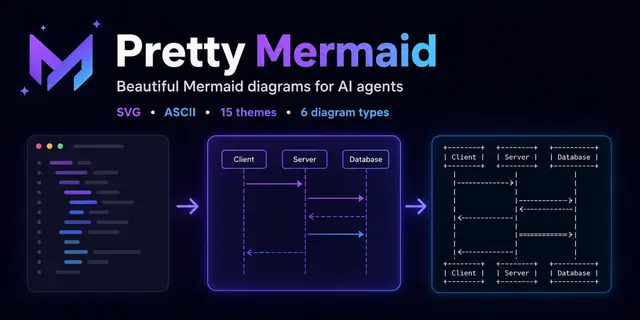
Pretty Mermaid
Generate and render Mermaid diagrams for architecture docs, READMEs, PRs, terminals...
Install
npx skills add imxv/Pretty-mermaid-skills --skill pretty-mermaid -g -a claude-code -y- Repository
- imxv/Pretty-mermaid-skills1.6k
- Category
- Engineering
- Updated
- 2mo ago
- License
- MIT
- Context cost
- Mediumabout 1,813 tokens
- Runs scripts
- No, instructions only
What it does
Generate and render Mermaid diagrams for architecture docs, READMEs, PRs, terminals, chats, and CI as themed SVG, PNG, or ASCII/Unicode art. Use this skill whenever the user provides Mermaid code or .mmd files; asks for a flowchart, sequence/state/class diagram, ERD, XY chart, or architecture/workflow/data-model visualization; or wants to beautify, theme, batch-convert, or make a diagram terminal-friendly. Runs locally without a browser or DOM, with 15 built-in themes and custom colors.
Pretty Mermaid
Create or render Mermaid diagrams with the bundled Node.js CLI. Use SVG for scalable documentation, PNG for sharing or raster-only consumers, and ASCII or Unicode for terminals and plain text.
Working directory
Treat the directory containing this file as <skill-root>. Run bundled scripts from that directory, or invoke them with absolute paths. Keep user source and rendered output in the user's requested location; do not copy the renderer into their project.
Workflow
- Determine whether the user supplied Mermaid source or needs a diagram authored from prose.
- Choose the diagram type and output format from the tables below.
- Read only the relevant reference file when syntax, theme selection, or API behavior needs more detail.
- Save new source as a
.mmdfile, preserving user terminology and relationships. - Render with a named theme or explicit colors.
- Inspect the result. Fix syntax, clipping, crowded layout, or unclear labels and render again.
- Return the source and output paths, plus the selected format and theme.
Do not overwrite an existing source or output file unless the user asked for replacement.
Choose a diagram type
| Need | Diagram type | Starter |
|---|---|---|
| Process, decision tree, architecture | Flowchart | flowchart LR |
| API calls, messages, interactions | Sequence | sequenceDiagram |
| Lifecycle or finite-state machine | State | stateDiagram-v2 |
| Classes, modules, relationships | Class | classDiagram |
| Database entities and cardinality | ER | erDiagram |
| Bars, lines, trends, comparisons | XY chart | xychart-beta |
Read references/DIAGRAM_TYPES.md when authoring non-trivial Mermaid syntax.



