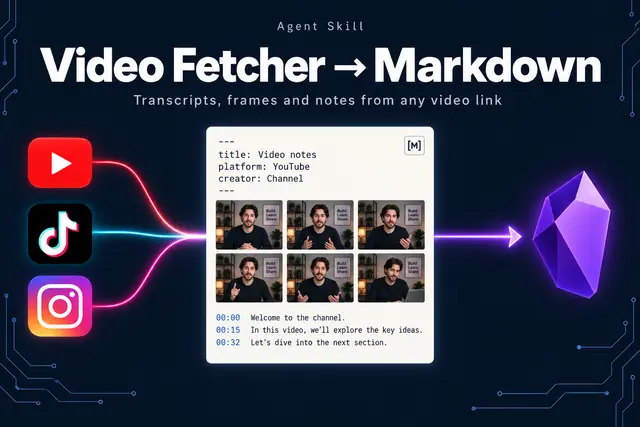
Youtube Fetcher
Retrieve transcripts from YouTube, Instagram, TikTok, X, Vimeo and other video sites...
Install
npx skills add JimmySadek/video-fetcher-to-markdown --skill youtube-fetcher -g -a claude-code -y- Repository
- JimmySadek/video-fetcher-to-markdown519
- Category
- Media
- Updated
- 28d ago
- License
- MIT
- Context cost
- Mediumabout 2,933 tokens
- Runs scripts
- No, instructions only
What it does
Retrieve transcripts from YouTube, Instagram, TikTok, X, Vimeo and other video sites, summarize or analyze what was said (and shown on screen), or save an Obsidian-ready Markdown knowledge-base note with captions or a Whisper transcript, creator metadata, frames, language, and source provenance. Use for a video URL, video ID or local video file when the request needs spoken content, on-screen text, or an archival note. A bare video link defaults to saving a note.
Video Fetcher to Markdown
Formerly YouTube Fetcher. The skill name stays youtube-fetcher so existing installs keep updating.
An independent open-source tool, not affiliated with or endorsed by YouTube, Google, or
any other video platform it reads.
Two scripts, one for each kind of source:
| Source | Script | How |
|---|---|---|
| YouTube with captions | scripts/fetch_transcript.py | Reads YouTube's captions. Fast, downloads nothing, no API key. |
| Instagram, TikTok, X, Vimeo, Facebook and other sites; YouTube without captions; a local video or audio file | scripts/fetch_media.py | Downloads with yt-dlp, transcribes locally with Whisper, adds a contact sheet of frames. |
Both export archival Markdown, plain text, JSON, SRT, or WebVTT and share the same
output rules below. Optional yt-dlp adds creator descriptions, chapters, upload
dates, and duration to YouTube notes.
Choose the result the user asked for
- Bare link, archive, or save: create a Markdown note. Use the user's named directory or exact file when supplied, then report the absolute saved path.
- Summary, question, or analysis: retrieve captions with
--stdout --timestamps, read the result, and answer the request with timestamp links where useful. Saving an extra note is optional unless requested. - Transcript or subtitle export: choose the requested format.
--format txtmeans plain text;textis the legacy name for Markdown. - Several explicit links: run once per video and report each outcome. A watch URL containing a playlist still means one video; do not expand a playlist.
Resolve scripts/fetch_transcript.py relative to this SKILL.md, using a Python
interpreter with the dependencies installed. Do not assume a home-directory,
agent, operating system, working directory, or skill-manager path. Quote URLs and
paths; put options before -- so IDs beginning with - are accepted.





