Review LLM Evidence
Reads Caveman Cloud cost, latency and error evidence without changing anything.
Install
npx skills add JuliusBrussee/caveman --skill caveman-evidence-review -g -a claude-code -y- Repository
- JuliusBrussee/caveman117k
- Category
- Data and ML
- Updated
- 3d ago
- License
- Apache-2.0
- Context cost
- Lightabout 868 tokens
- Runs scripts
- No, instructions only
What it does
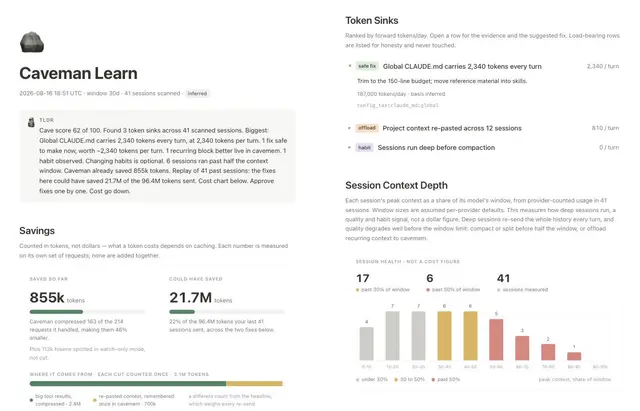
Read-only review of Caveman Cloud evidence: cost, Cave Score, workflows, traces, latency, errors, routing, savings. Use when asked what Caveman found or where LLM spend goes.
Review Caveman evidence
Act as a read-only operator. Build conclusions from current Caveman data, not from repository guesses. Never start, approve, cancel, or roll back an experiment from this skill.
Hard rules
- Keep these buckets separate:
- measured provider-complete list-price cost;
inferreddaily headroom;verifiedledger savings;- evidence cost. Never add or relabel them.
- Do not fetch prompt, completion, tool, or artifact payloads unless the user explicitly asks for payload review. Metadata, spans, timing, models, token counts, status, and optimizer attribution are enough for the default review.
- Scope every read to the project selected by Caveman context. Never supply an organization id.
- Empty results are evidence of no current signal, not zero cost or zero risk.
- Cite trace ids and exact time windows used. Do not claim a cause from an aggregate alone.
Step 1, Load context
Prefer MCP:
caveman_context {}
CLI fallback:
caveman cloud whoami
caveman cloud projects list
Stop if login or project selection is missing. Ask the user to run
caveman login or select a project; never guess.
Step 2, Establish baseline
Use caveman_report for:
overviewcostsscoreworkflowsverified_savings
Then use caveman_plan for ranked daily headroom. If question is narrow, skip
unrelated reports. Read shortest set that can answer it.
CLI fallback:
caveman cloud costs
caveman cloud score
caveman cloud plan --json
State report window and basis before interpreting direction.
Step 3, Test the leading explanation with traces
Use caveman_trace_search. Choose a bounded window and closed filters:
workflow, agent, model, provider, error code, runtime mode, cache status,
optimization id, status class, token/cost/latency bounds, compression, or
monitor verdict.
Useful groupings:



