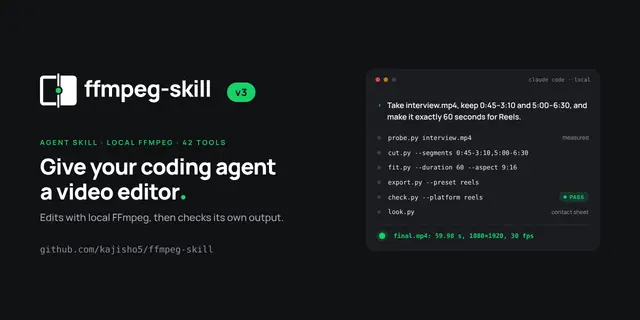
Ffmpeg Skill
Edit video and audio with local FFmpeg: cut, join, reframe, speed, captions, overlays...
Install
npx skills add kajisho5/ffmpeg-skill --skill ffmpeg-skill -g -a claude-code -y- Repository
- kajisho5/ffmpeg-skill4.3k
- Category
- Media
- Updated
- 4d ago
- License
- MIT
- Context cost
- Mediumabout 3,000 tokens
- Runs scripts
- No, instructions only
What it does
Edit video and audio with local FFmpeg: cut, join, reframe, speed, captions, overlays, silence removal, sync, loudness, HDR to SDR, platform exports and checks. Use whenever the user mentions a video or audio file (mp4, mov, wav, m4a), footage, captions, a reel or short, YouTube/TikTok delivery, LUFS or ffmpeg, even without saying "edit". Needs FFmpeg 6.1+ and Python 3.10+; stdlib only, no cloud.
ffmpeg-skill
Quick start
Run python3 <skill-dir>/scripts/<name>.py; the table below routes requests, --help lists every flag.
MCP tools/list shows the core 12; the other 30 of the 42 tools stay callable by name.
Shared flags (the rest, codec defaults and --hw: references/flags.md):
--dry-run (plan, write nothing), --json (output, probe, commands), --json-brief (status + summary),
--overwrite (step 7), --timeout SECONDS (default 1800, 0 = none; kind: timeout).
Writing tools run nothing under --dry-run; the measuring tools (probe, check, sync, multicam,
scenes, cropdetect, report, silence, loudness, stabilize, overlay) may still run
ffmpeg/ffprobe without writing artifacts; verify ignores the flag. Per tool: contract --json dry_run.
Audio-only files work in the audio tools; picture tools refuse them (references/workflow.md#audio-only-files).
Workflow (in this order)
Every step in full: references/workflow.md.





