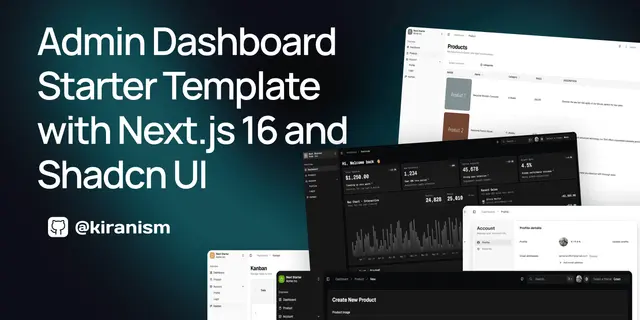
Shadcn Dashboard Guide
Builds pages, tables, forms and access rules in a Next.js shadcn dashboard.
Install
npx skills add Kiranism/next-shadcn-dashboard-starter --skill kiranism-shadcn-dashboard -g -a claude-code -y- Repository
- Kiranism/next-shadcn-dashboard-starter7.2k
- Category
- Engineering
- Updated
- 3d ago
- License
- MIT
- Context cost
- Mediumabout 3,000 tokens
- Runs scripts
- No, instructions only
What it does
Guide for building features, pages, tables, forms, themes, and navigation in this Next.js 16 shadcn dashboard template. Use this skill whenever the user wants to add a new page, create a feature module, build a data table, add a form, configure navigation items, add a theme, set up RBAC access control, or work with the dashboard's patterns and conventions. Also triggers when adding routes under /dashboard, working with Clerk auth/orgs/billing, creating mock APIs, or modifying the sidebar. Even if the user doesn't mention "dashboard" explicitly, if they're adding UI, pages, or features to this project, use this skill.
Dashboard Development Guide
This skill encodes the exact patterns and conventions used in this Next.js 16 + shadcn/ui admin dashboard template.
Quick Reference: What Goes Where
| Task | Location |
|---|---|
| New page | src/app/dashboard/<name>/page.tsx |
| New feature module | src/features/<name>/ |
| Feature components | src/features/<name>/components/ |
| API types | src/features/<name>/api/types.ts |
| Service layer | src/features/<name>/api/service.ts |
| Query + mutation opts | src/features/<name>/api/queries.ts |
| Zod schemas | src/features/<name>/schemas/<name>.ts |
| Filter/select options | src/features/<name>/constants/ |
| Nav config | src/config/nav-config.ts |
| Types | src/types/index.ts |
| Mock data | src/constants/mock-api-<name>.ts |
| Search params | src/lib/searchparams.ts |
| Query client | src/lib/query-client.ts |
| Theme CSS | src/styles/themes/<name>.css |
| Theme registry | src/components/themes/theme.config.ts |
| Custom hook | src/hooks/ |
| Icons registry | src/components/icons.tsx |
Adding a New Feature (End-to-End)
When a user asks to add a feature (e.g., "add an orders page"), follow these steps in order. Each step below shows the minimal pattern, see reference files for full templates.
Step 1: Mock API (src/constants/mock-api-<name>.ts)
See references/mock-api-guide.md for the complete template. Key structure:
import { faker } from '@faker-js/faker';
import { matchSorter } from 'match-sorter';
import { delay } from './mock-api';



