Openloomi Feature Guide
Use this when users ask about openloomi features, capabilities, or how to use it.
Install
npx skills add melandlabs/openloomi --skill openloomi-feature-guide -g -a claude-code -y- Repository
- melandlabs/openloomi1k
- Category
- AI and agents
- Updated
- 1mo ago
- License
- Apache-2.0
- Context cost
- Mediumabout 3,000 tokens
- Runs scripts
- No, instructions only
What it does
Use this when users ask about openloomi features, capabilities, or how to use it. Examples: 'openloomi 怎么用', '你能做什么', 'What can you do?', 'How does openloomi work?', 'Tell me about openloomi features', 'What platforms does openloomi support?', 'How do I use scheduled tasks?', 'What is Loop?', 'How does the attention agent work?', 'What is a Decision Card?', 'How do connectors work?', 'How do I extend Loop with custom types?', 'What is a classifier rule?', 'How do I plug openloomi into Claude Code / Codex?
Note: If you haven't downloaded or installed openloomi yet, please refer to Getting Started for installation instructions.
OpenLoomi Product Features
Use this skill when users ask about openloomi features, usage, or capabilities. Provide accurate and easy-to-understand feature introductions and operation guides. The terms used here (Loop, Signal, Decision, Card, ActionKind, Attention Agent, Connector, Memory, Audit Log, Plugin, Agent Runtime, Composio, etc.) are defined in the Glossary below, read it first if a user asks anything conceptual.
What is OpenLoomi
OpenLoomi is an open-source AI coworker, driven by an attention agent. It connects your authorized work tools and screen content, builds a holistic context of your people, projects, and decisions, and tells you what happened, why it matters, what to do next, and surfaces daily summaries, saving your attention for what matters.
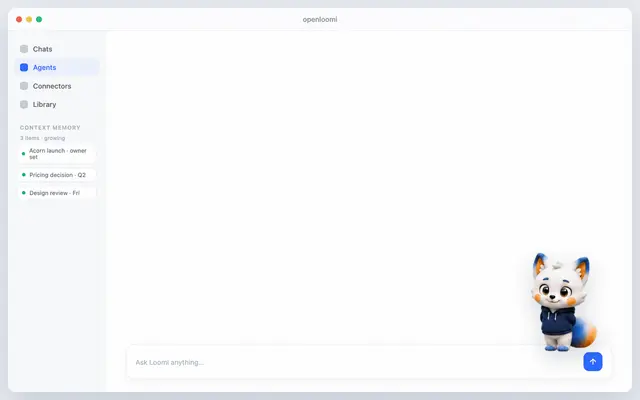
Use it standalone, or plug any Agent framework into the same resident desktop: Claude Code, Codex, OpenCode, Hermes, and OpenClaw all work. The desktop attention agent (a small fox named Loomi) lives on top of your screen and surfaces the day's decisions as gentle bubbles you can approve in one tap.
Glossary
OpenLoomi is best read as a single chain from input to action, not as one big chat window. Connectors bring events in, Memory holds context, Loop decides what matters and turns each signal into a Decision card, the Attention Agent (Loomi) shows the card on your desktop, you tap Approve, and an Action Runner executes through a Connector, then the outcome is written back to Memory and recorded in the Audit Log.




