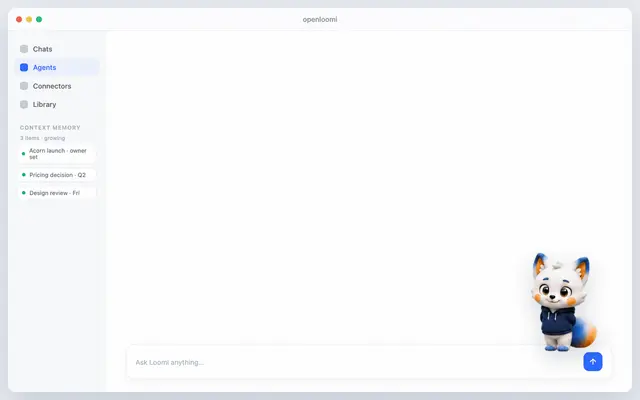
Openloomi Setup
Run OpenLoomi one-time setup, auto-chains install → set Codex provider → launch → wait...
Install
npx skills add melandlabs/openloomi --skill openloomi-setup -g -a claude-code -y- Repository
- melandlabs/openloomi1k
- Category
- AI and agents
- Updated
- 1mo ago
- License
- Apache-2.0
- Context cost
- Mediumabout 3,000 tokens
- Runs scripts
- No, instructions only
What it does
Run OpenLoomi one-time setup, auto-chains install → set Codex provider → launch → wait API → mint guest session token → ready in one call. Mirrors Claude's `/openloomi:setup`. Triggers: setup openloomi, install openloomi, install and run, 一键装好并跑起来, fix openloomi, finalize openloomi, install_required, awaiting_user_action, session_initialization_required, ai_provider_required, install_failed, api_not_ready, what now, what next, first time, what can i do.
OpenLoomi Setup (end-to-end wizard)
The bridge now exposes a single end-to-end wizard: setup --yes. One
invocation walks the full Codex state machine:
install OpenLoomi.app from the official GitHub release
  → set OPENLOOMI_AGENT_PROVIDER=codex in the GUI launchd / environment.d
     (auto-restarts the desktop if it was already running)
  → launch the desktop app (`open -a <desktopMarker>` / platform equivalent)
  → wait for the local HTTP API to come up on http://localhost:3414
  → mint a guest bearer (one-tap sign-in) into ~/.openloomi/token
  → { ready: true }
Each transition is automatic. Do not ask the user to click anything in the GUI. The bridge only surfaces a stop condition when the next step truly requires human action, e.g. AI provider not configured, or the native Codex runtime isn't reachable.
This wizard is the Codex-side equivalent of Claude's /openloomi:setup.
Both plugins speak the same bridge commands, the same flag names, and the
same stop-condition vocabulary so an install step that works on one works
on the other.
Quick workflow
- Make sure the Codex sandbox is set to a mode that allows the wizard
to actually run.
setupneeds to write to/Applications(macOS) or~/.config/environment.d/(Linux), install/launch the desktop helper, and reachhttp://localhost:3414.workspace-writeis the minimum that usually works;danger-full-accessis the safe choice for the first run. If you do not have approval, ask the user before invoking the bridge. - If the bridge returns
setup: install_attempted(only happens on the very first invocation when--yesis required), this is informational,--yesis already passed through and the wizard proceeds. - Run:




