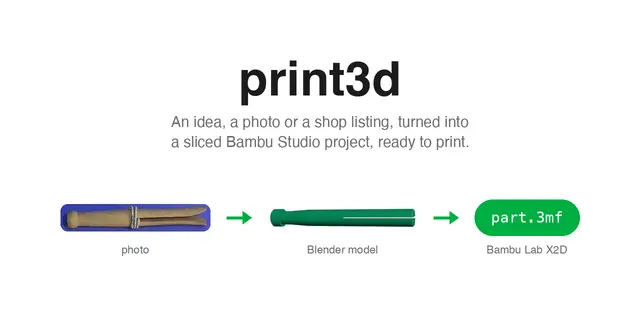
Print3d
Model a part in Blender from an idea, a photo of an object, or the shop listing of...
Install
npx skills add mfranzon/print3d --skill print3d -g -a claude-code -y- Repository
- mfranzon/print3d521
- Category
- Engineering
- Updated
- 4d ago
- License
- MIT
- Context cost
- Mediumabout 1,708 tokens
- Runs scripts
- No, instructions only
What it does
Model a part in Blender from an idea, a photo of an object, or the shop listing of something you would otherwise buy, slice it for the user's Bambu Lab X2D or P2S, and iterate until it prints clean and matches the photo.
/print3d, idea to a printable part for a Bambu X2D or P2S
print3d below is the print3d command line. When you have the print3d MCP
tools, use those of the same names instead: they return the plate preview and
overlays as images, and the host can ask the user before each one that writes.
A job's files live in the report's job_dir, written below as jobs/<slug>.
idea / photo / text  →  model.py (Blender)  →  mesh  →  DFM + printability
        │                    ↑                         + likeness to the photo
    spec.json                └────────  advice: what to fix ───┘
                                              │
                                        slice → .3mf → user prints from Studio
Nothing here reaches the printer. The last step is a sentence handing the user a
.3mf. Printing is theirs to do in Studio, with the plate in front of them.
1. Read the brief
Before writing a model for a new job, call the MCP doctor tool or run
print3d doctor. Resolve any missing or unavailable Blender or Bambu Studio
dependency first. Studio is ready when its executable is found; a failed version
check is informational and does not block modelling. Windows and macOS read
Studio metadata without launching it; Linux uses a best-effort help probe. Blender must pass its
version probe. A null version means the probe could not identify a version;
it does not mean the application is missing. Run the check again after changing
the application paths or installing a dependency.
Size, text, colour, what the part has to do. Ask at most one question, and only when a missing number makes the part unprintable.
From a photo of an object: scaffold (step 2) for the slug, then work through
references/from-photo.md before writing the model. It turns the photo into a
spec.json of measured, given and assumed dimensions, and adds the likeness
check that compares the model with the photo.



