Automate Me
Use for \"automate me\", \"create/update/refresh my -mode skill\", \"turn/capture my...
Install
npx skills add michael-denyer/pstack-claude --skill automate-me -g -a claude-code -y- Repository
- michael-denyer/pstack-claude3.7k
- Category
- AI and agents
- Updated
- 5d ago
- License
- MIT
- Context cost
- Mediumabout 1,915 tokens
- Runs scripts
- No, instructions only
What it does
Use for \"automate me\", \"create/update/refresh my -mode skill\", \"turn/capture my preferences or working style into a skill\", or wanting agents to follow how the user works. Drafts or revises a personal -mode skill via plugin-dev:skill-development + unslop, optionally pulling fresh evidence from recent transcripts.
Automate me
On Codex, read the platform mapping, including its per-skill notes, before following this skill.
On GitHub Copilot, read the platform mapping, including its per-skill notes, before following this skill.
On Muse, read the platform mapping, including its per-skill notes, before following this skill.
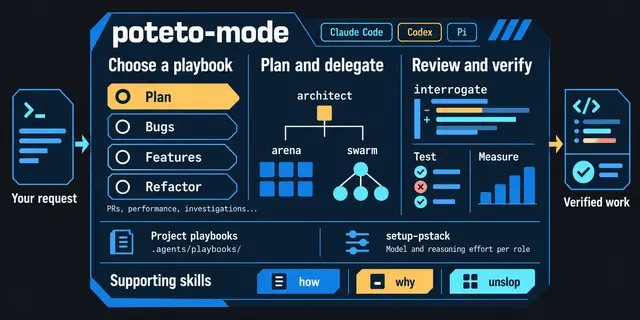
A guided flow for turning the user's working conventions into a skill agents will follow. The output is one -mode skill tailored to them (e.g. jay-mode, priya-mode).
This skill orchestrates three others: an inline mining pass (see step 1), the plugin-dev:skill-development skill (authoring), and the unslop skill (prose discipline). It sequences them. It doesn't replace them.
Flow
0. Check for an existing skill
Look recursively for .claude/skills/**/*-mode/SKILL.md and ${CLAUDE_CONFIG_DIR:-$HOME/.claude}/skills/*-mode/SKILL.md matching the user's handle. Mode skills can live in a personal category directory (.claude/skills/<handle>/), not only at the top level. If one exists, confirm intent with AskUserQuestion (unless they already said "update my skill" or similar):
- Update the existing skill (default for repeat runs)
- Start fresh (rare, ask why before doing it)
Update mode changes the rest of the flow:
- Step 1 mines only history since the skill was last edited (
git log -1 --format=%cI <path>). - Step 2 asks what's changed or missing, not what to capture from zero.
- Step 4 edits the existing file in place. Preserve sections the user hasn't contradicted. Revise ones with new evidence. Add new sections only for genuinely new rules.




