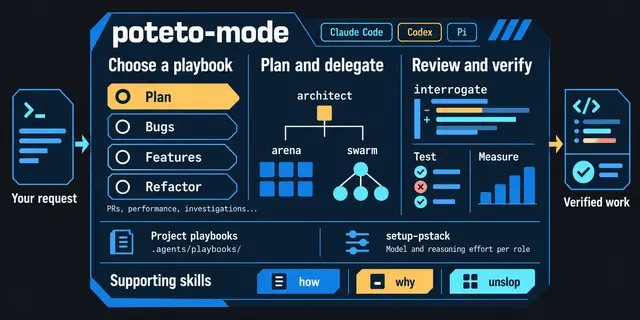
Setup Pstack
Configure which models pstack uses per role.
Install
npx skills add michael-denyer/pstack-claude --skill setup-pstack -g -a claude-code -y- Repository
- michael-denyer/pstack-claude3.7k
- Category
- Engineering
- Updated
- 5d ago
- License
- MIT
- Context cost
- Mediumabout 3,000 tokens
- Runs scripts
- Yes, review before use
What it does
Configure which models pstack uses per role. Detects available models and writes the current runtime's override sheet. Use for /setup-pstack, "configure pstack models", changing pstack's model choices, or turning the SessionStart hook on or off.
Setup pstack
On Codex, read the platform mapping, including its per-skill notes, before following this skill.
On GitHub Copilot, read the platform mapping, including its per-skill notes, before following this skill.
On Muse, read the platform mapping, including its per-skill notes, before following this skill.
On GitHub Copilot, follow the Copilot setup in place of steps 1, 3, 4, and 7 and step 6's header.
On another runtime, read Other runtimes below for where the sheet lives and how it loads; the steps are the same.
Write the current runtime's per-role model override sheet, using the path in Other runtimes. Each pstack skill names a default model inline; the override sheet adapts those defaults to the models you actually have access to.
Claude Code has no auto-applied "rules" mechanism like Cursor's .mdc. The Claude Code config directory is $CLAUDE_CONFIG_DIR when that variable is set and ~/.claude otherwise. This skill calls it <config>. Inclusion is explicit: the user adds a line to <config>/CLAUDE.md (or their project CLAUDE.md) such as:
@<config>/pstack-models.md
with <config> written as the resolved path, so the file is loaded as context for every session.
The Codex home directory is $CODEX_HOME when that variable is set and ~/.codex otherwise. This skill calls it <codex-home>.



