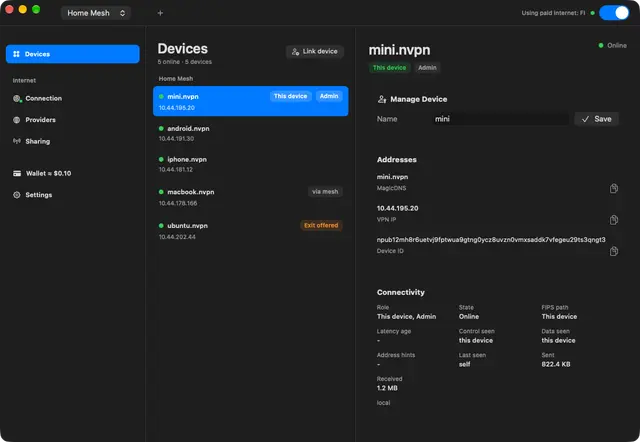
Nostr Vpn
Connect an authorized machine to a Nostr VPN private mesh, review device join requests...
Install
npx skills add mmalmi/nostr-vpn --skill nostr-vpn -g -a claude-code -y- Repository
- mmalmi/nostr-vpn1.2k
- Category
- AI and agents
- Updated
- 5d ago
- License
- MIT
- Context cost
- Lightabout 1,024 tokens
- Runs scripts
- No, instructions only
What it does
Connect an authorized machine to a Nostr VPN private mesh, review device join requests, and verify access with the nvpn CLI. Use for account-free private networking between agent hosts, people, and servers.
Nostr VPN
Use the nvpn CLI for private networking without a VPN provider account.
Every device retains its own identity; network membership still needs an
administrator's approval. This workflow does not require paid exits.
Establish the execution context
- Run
nvpn --version,nvpn join-requests --help, andnvpn join-request --help. CLI approval and JSON join-request output are currently source-only and have not yet shipped in a release. Install a matching binary from https://github.com/mmalmi/nostr-vpn/releases/latest or usecargo install nvpn. Check the release's supported architecture. - Choose an explicit, persistent absolute config path and pass
--configon every command, including elevated ones. Reuse a designated profile; never overwrite an existing one withinit --force. - A Linux tunnel needs network privileges,
/dev/net/tun, andiproute2; containers needNET_ADMINand the TUN device. macOS/Windows need elevated platform networking setup. A cloud terminal or plugin does not confer this access. If unavailable, report that specific limitation and use an authorized machine with those capabilities. - Persist config and key sidecars privately. Give separate devices separate keys. Do not print private keys, copy the admin identity to a joining device, or put join links into public output.
Create or join
On a new admin host, run nvpn init --config "$NVPN_CONFIG", then use the
printed public nostr_pubkey with
nvpn set --config "$NVPN_CONFIG" --device "$ADMIN_DEVICE_ID".
Start it with nvpn start --config "$NVPN_CONFIG" --daemon --connect.




