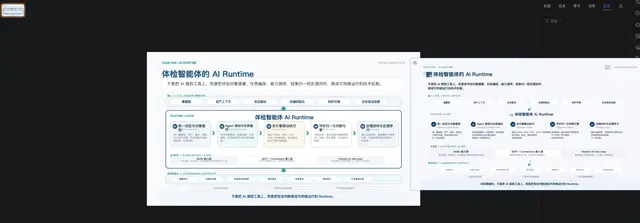
Ppt Agent Workflow
Guide an installing agent through a staged PPT or slide workflow without constraining...
Install
npx skills add mucsbr/ppt-agent-workflow-san --skill ppt-agent-workflow -g -a claude-code -y- Repository
- mucsbr/ppt-agent-workflow-san652
- Category
- Documents
- Updated
- 2mo ago
- License
- See repository
- Context cost
- Mediumabout 1,730 tokens
- Runs scripts
- No, instructions only
What it does
Guide an installing agent through a staged PPT or slide workflow without constraining its implementation choices. Use when the user wants a presentation, deck, storyboard, or slide-ready structure from a topic, article, report, or brief, and success depends on some combination of: clarifying the brief, gathering facts when needed, building an outline, creating page-level planning, generating reviewable intermediate artifacts, and degrading gracefully when the environment lacks research, rendering, or delivery capabilities.
PPT Agent Workflow
Overview
Treat PPT creation as staged work, not one-shot generation. This skill should tell the agent what must happen and when, while leaving how to execute to the installing agent and its environment.
Do not prescribe specific search tools, browsers, MCPs, renderers, or export paths unless a particular environment explicitly requires one.
Core Principle
Constrain the workflow, not the implementation.
This skill should help the agent decide:
- when the brief is still unclear
- when fresh fact-finding is necessary
- when to stop and let the user review an intermediate result
- when to continue to a fuller draft
- how to respond honestly when capabilities are limited
Capability Awareness
Before substantive work, determine at a high level whether the current environment can:
- gather external facts or at least work from user-supplied materials
- create structured outputs such as notes, outlines, or planning drafts
- create reviewable artifacts
- deliver files or artifacts back to the user
Only use these findings to decide what layer is achievable. Do not turn this section into a tool-selection policy.
Supported Inputs
Accept any of these entry modes.
1. Topic-only
Example: “帮我做一个 AI 安全体检中心的 PPT”
If inputs are incomplete, ask for the minimum missing fields:
- audience
- purpose
- page-count range
- preferred tone or style
- whether fresh fact-finding is needed
- whether the user wants intermediate review before full generation
2. Topic + brief
Use when the user already provides audience, purpose, style, page count, and key messages.
3. Source-driven request
Use when the user supplies URLs, reports, PDFs, notes, transcripts, or other primary material.
Treat supplied material as the main context. Add external fact-finding only when it will materially improve the result.





