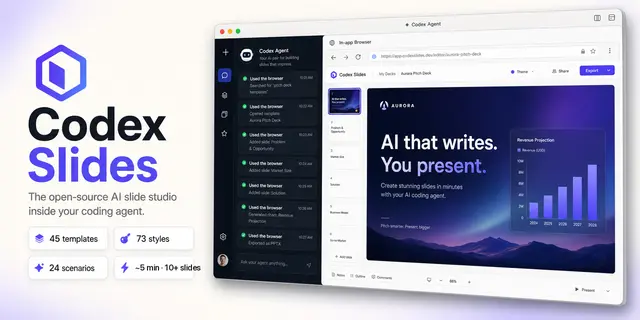
Codex Slides
Create, research, revise, restyle, present, inspect, and export Codex Slides slide...
Install
npx skills add nexu-io/codex-slides --skill codex-slides -g -a claude-code -y- Repository
- nexu-io/codex-slides966
- Category
- Design
- Updated
- 4mo ago
- License
- MIT
- Context cost
- Mediumabout 2,880 tokens
- Runs scripts
- Yes, review before use
What it does
Create, research, revise, restyle, present, inspect, and export Codex Slides slide decks from Codex, including scenario workflows, project Design Files, and always-on brand design systems. Use when the user asks for a presentation, PPT/PPTX, slide deck, research brief converted into slides, an existing deck edit, a marked-up slide revision, brand/style controls, project files, or to open and operate Codex Slides in the Codex in-editor Browser.
Codex Slides
Run Codex Slides as an interactive product inside Codex. The live Browser workspace is the primary experience; MCP and the bundled CLI are transports for opening the workspace and performing deterministic operations, not a reason to hide the presentation workflow in a long-running Codex turn.
Browser-first default
For every new deck request, unless the user explicitly asks for a headless, unattended, one-call, or CLI-only run:
- Call
open_codex_slides/ CLIopenwithout a project id, immediately navigate the returned URL in Codex's in-editor Browser, and verify that the Codex Slides home/create screen is visible. - Keep the Browser open. Enter the user's request in the home composer, attach
or assign source files in the UI, and submit it there. This creates a durable
project before clarification starts. If UI submission is not reliable, use
start_project/ CLIstart-projectonly as a deterministic fallback, then navigate its returned project URL immediately. - Continue in the live project workspace. Let Codex Slides show and own each checkpoint: requirements/clarifying questions, research progress, editable outline confirmation, visual-inspiration or style selection, and rendering. Answer or manipulate each step in the Browser; when a choice materially changes the result and the user's prompt does not resolve it, leave that checkpoint visible and ask the user.
- During research and rendering, keep the project workspace visible so the user sees progress and can steer. Do not leave Codex showing only a generic "working" message while a hidden tool completes the whole deck.
- After rendering, inspect the deck in the same Browser workspace. Use its agent composer, slide controls, mark mode, Play, Design Files, and brand system for follow-up work. Export only after visual review.





