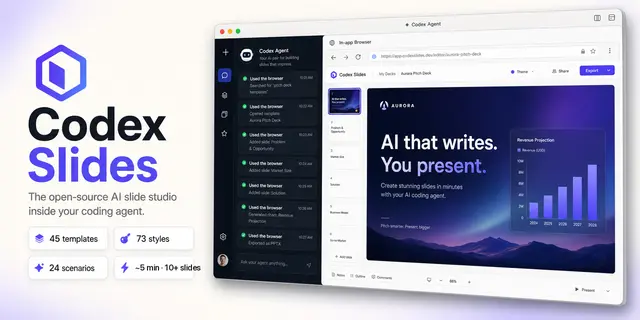
Codex Slides Structured Intake
Collect and persist structured presentation requirements for Codex Slides, including...
Install
npx skills add nexu-io/codex-slides --skill codex-slides-structured-intake -g -a claude-code -y- Repository
- nexu-io/codex-slides966
- Category
- Documents
- Updated
- 4mo ago
- License
- MIT
- Context cost
- Lightabout 439 tokens
- Runs scripts
- No, instructions only
What it does
Collect and persist structured presentation requirements for Codex Slides, including scenario choice, audience, page count, language, format, research mode, visual direction, source-file roles, and clarification checkpoints. Use when a new deck request is ambiguous or scenario-led.
Codex Slides Structured Intake
The Codex Slides Browser owns the canonical intake form. Structured intake must produce one durable project and one shared clarification state, not a separate chat-only questionnaire.
Flow
- Call
open_codex_slideswithout a project id and follow itsbrowserHandoffto the home/create workspace. - When a workflow preset fits, call
list_scenarios, then open the selected scenario deep link. Use product-owned defaults and source slots. - Submit the user's topic and available files in the Browser. Assign every uploaded file its scenario role; do not flatten datasets, source decks, brand assets, and visual references into one undifferentiated list.
- Let the product create the durable project before clarification. Keep the clarification checkpoint visible and persist answers in project workflow state.
- Ask only questions that materially change the result: audience, purpose, page count, language, aspect, research depth, evidence constraints, and visual direction. Use recommendations already present in the form.
- Continue through outline and inspiration checkpoints in the same Browser
project. Do not call the unattended
create_deckpath unless the user asked for a headless run.
If Browser submission is unavailable, use start_project as the deterministic
fallback, immediately follow its clarification handoff, and keep later choices
attached to that same project id. get_onboarding_questions may help formulate
the intake, but its output is not a second source of truth.
When a durable outline or render job is useful, call start_project_run, keep
its runId, and use wait_project_run or cancel_project_run without closing
the Browser workspace.





