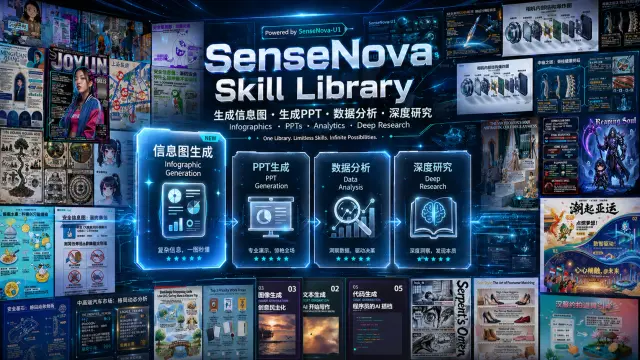
Sn Da Non Spreadsheet Analysis
Word / PDF / PPT 文档解析与数据分析引擎。覆盖三类文件格式的全量提取、表格数值化、图表理解与跨文档汇总分析。**遇到以下任一情况就主动使用本...
Install
npx skills add OpenSenseNova/SenseNova-Skills --skill sn-da-non-spreadsheet-analysis -g -a claude-code -y- Repository
- OpenSenseNova/SenseNova-Skills6k
- Category
- Documents
- Updated
- 6d ago
- License
- MIT
- Context cost
- Lightabout 1,096 tokens
- Runs scripts
- No, instructions only
What it does
Word / PDF / PPT 文档解析与数据分析引擎。覆盖三类文件格式的全量提取、表格数值化、图表理解与跨文档汇总分析。**遇到以下任一情况就主动使用本 skill**:①用户上传或指定了 .docx / .doc / .pdf / .pptx / .ppt 文件并要求分析、提取或统计其中内容;②用户出现触发词:Word分析 / PDF解析 / PPT提取 / 文档分析 / 报告解析 / 幻灯片分析 / 发票提取 / 合同分析 / 文档统计 / 错别字 / 语病 / 字号检查 / 简历分析 / 多文档对比;③任务涉及从文档中提取表格、数值、图表、格式(颜色/高亮/字号)、组织架构、时间线等结构化信息。仅不用于:Excel/CSV 数据分析(使用 sn-da-excel-workflow)、纯图片分析(使用 sn-da-image-caption)。
Document Analysis Skill, Word / PDF / PPT
End-to-end workflow for Word, PDF, and PPT document parsing. Each format has specific parsing pitfalls, follow the format-specific sub-skill exactly.
Workflow
Step 0, Identify file type and input scope
import os

input_path = "/mnt/data/..."  # from user

# Detect single file vs directory (multi-file scenario)
if os.path.isdir(input_path):
    all_files = [
        os.path.join(input_path, f)
        for f in os.listdir(input_path)
        if f.lower().endswith(('.docx', '.doc', '.pdf', '.pptx', '.ppt'))
    ]
    print(f"Found {len(all_files)} documents: {all_files}")
else:
    all_files = [input_path]

# Route by extension
ext = os.path.splitext(all_files[0])[-1].lower()
print(f"File type: {ext}")
Critical rule: When
input_pathis a directory OR the user says "这些文件" / "所有文档", process every file and aggregate. Never stop at the first file.
Step 1, Load sub-skill by format
| Extension | Sub-skill to load |
|---|---|
.docx / .doc | capability/word-analysis/SKILL.md |
.pdf | capability/pdf-analysis/SKILL.md |
.pptx / .ppt | capability/ppt-analysis/SKILL.md |
read_file(path="<skills_root>/sn-da-non-spreadsheet-analysis/capability/<format>-analysis/SKILL.md")
Load only the sub-skill you need, do not load all three at once.
Step 2, Parse and extract
Follow the sub-skill's extraction pattern. For all formats:
- Full scan: iterate all pages/slides/paragraphs, never stop early
- Table extraction: get every table, not just the first one
- Image/chart detection: if a page/slide yields no text, treat it as image-based and call
caption.py
Step 3, Answer with verification
After extracting data, verify before answering:





