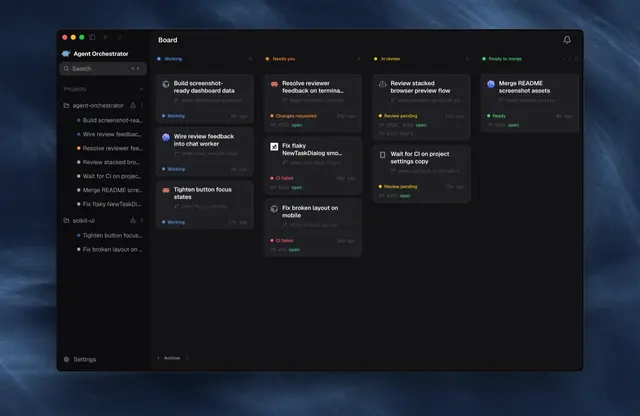
Ao Desktop Dev
Launch, restart, or troubleshoot the real AO Electron desktop app from this repository...
Install
npx skills add OrchestratorInc/agent-orchestrator --skill ao-desktop-dev -g -a claude-code -y- Repository
- OrchestratorInc/agent-orchestrator14k
- Category
- Design
- Updated
- 3d ago
- License
- Apache-2.0
- Context cost
- Mediumabout 2,244 tokens
- Runs scripts
- No, instructions only
What it does
Launch, restart, or troubleshoot the real AO Electron desktop app from this repository; run a checkout against isolated or real local AO data; combine PR branches for local UI review; and diagnose stale Electron processes, port conflicts, or preload bridge mismatches. Use whenever asked to run, open, show, or visually verify AO frontend changes in the actual desktop app rather than ao preview, dev:web, or mock data.
AO Desktop Dev
Run the Electron application from the current checkout and verify it in the native window. Keep the dev daemon, renderer, Electron preload, and selected data mode explicit so the user never reviews a mock or stale build by accident.
Choose the data mode
Ask only when the request does not make the desired data source clear.
- Use isolated mode by default for implementation and destructive testing. Electron uses port
3002,~/.ao/dev/running.json,~/.ao/dev/data, and~/.ao/dev/electron. - Use real-data mode only when the user explicitly asks to see this machine's actual AO projects or sessions. Start the checkout's dev daemon on the isolated dev port/run file while pointing
AO_DATA_DIRat the real AO data directory. This is a separate daemon process using real data; do not describe it as the installed app's daemon. - Never try to attach an unpackaged Electron app directly to a packaged daemon from another checkout. The supervisor intentionally rejects daemon identity mismatches.
- Warn before actions in real-data mode that create, terminate, rename, or otherwise mutate sessions. Merely opening and inspecting the UI is expected.
- Real-data mode reads the same database as the installed app, and only one daemon can own a data directory. Quit the packaged app first: while its daemon runs, the dev daemon waits for the data-dir lock (9 x
AO_SHUTDOWN_TIMEOUT+ 18s, 108s by default) and then exits with code 75. The dev window is marked with anAgent Orchestrator (dev)title, an orange-badgedDEVdock icon, and an in-appdevbadge, verify those markers before acting.





