Ao Status
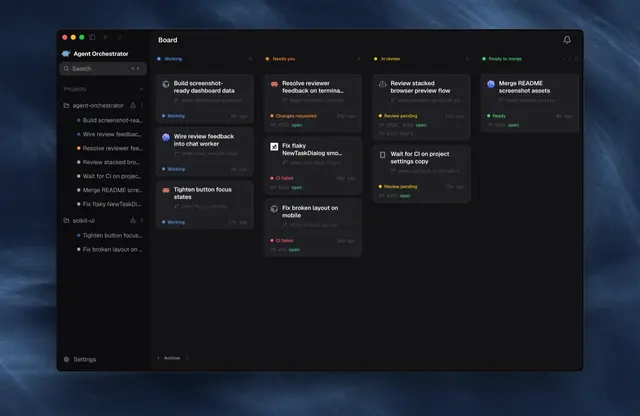
What AO is doing on every host: which sessions are running, waiting on the user, idle...
Install
npx skills add OrchestratorInc/agent-orchestrator --skill ao-status -g -a claude-code -y- Repository
- OrchestratorInc/agent-orchestrator14k
- Category
- Engineering
- Updated
- 3d ago
- License
- Apache-2.0
- Context cost
- Lightabout 1,124 tokens
- Runs scripts
- No, instructions only
What it does
What AO is doing on every host: which sessions are running, waiting on the user, idle or exited, which PRs are ready to merge or got a review, and a daily digest. Read-only. Use for "status", "what's running", "what's waiting on me", "what's ready to merge", "anything stuck", and the AO daily digest routine.
Follow the ao-rules skill. Read-only in AO: it never marks anything read there. It keeps its own seen list in ~/.ao-grok/ on each via computer. Run on every host in the AO hosts note, in parallel, each from its via computer with the aoapi helper (set AO_REMOTE_BASE and AO_REMOTE_HEADER for remote hosts). If memory has no AO hosts note, run ao-setup first. Don't save hosts without the user's yes.
1. Sessions
f(){ <aoapi helper>; aoapi GET 'sessions?active=true' | python3 -c '
import json,sys
for s in json.load(sys.stdin)["sessions"]:
    a=s.get("activity") or {}
    print("\t".join([s["id"], s.get("kind",""), a.get("state",""), str(len(s.get("prs") or [])), (s.get("displayName") or "")[:60]]))'; }; f
Columns: id, kind (orchestrator or worker), state, PR count, name. States:
| State | Say |
|---|---|
active | running |
waiting_input, blocked | waiting on you |
idle | idle: finished its turn, or not started |
exited | the agent exited; it can be resumed (ao-actions) |
For what's waiting on the user, run ao-answer "Find what's waiting": it finds sessions in waiting_input or blocked, and idle sessions whose last reply asked the user a question. Never use notifications for it. Group by host, then by project (the session id starts with the project id).
Keep the reply short enough for a phone, at most 6 lines: first what needs the user, then what's running, then one line per host with counts (for example "MacBook Pro: 25 idle, 9 exited"). Name a session only when it needs the user or is running. Leave out idle orchestrators, PR numbers and exited sessions unless asked. Report what you saw; don't guess why (a crash, a restart) unless the user asks.



