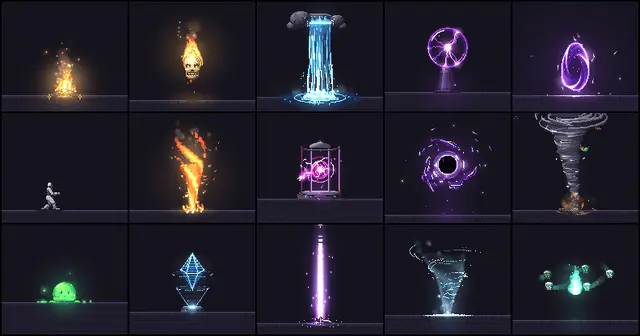
Pixelfx
Make pixel art effects and sprite animations in code with the pixelfx library, which...
Install
npx skills add patch-gg/pixelfx --skill pixelfx -g -a claude-code -y- Repository
- patch-gg/pixelfx2.5k
- Category
- Design
- Updated
- 4d ago
- License
- MIT
- Context cost
- Mediumabout 2,583 tokens
- Runs scripts
- No, instructions only
What it does
Make pixel art effects and sprite animations in code with the pixelfx library, which has 244 ready-made ones, acted out by a character who winds up, freezes on contact and recovers (fire, explosions, water, ice, lightning, sci-fi, melee, impacts, projectiles, spawn and death, arcane, holy, shadow, status, nature, weather, UI, pickups, transitions, critters) to drop into a game, recolor, export as sprite sheets or remix, plus a draft, render, look, refine loop that makes new ones look hand-animated. Use when someone wants pixel art VFX, sprite animations or sprite sheets, game juice, a specific effect ("a frost nova for my mage", "a coin pickup sparkle"), wants to use or export a pixelfx effect in Godot, Unity, Phaser or a canvas game, or wants their pixel effects to look better.
pixelfx
Pixel art effects as code. Each effect is one file, src/fx/<category>/<name>.js, that draws into two buffers:
color (pixels: opaque, dithered or truly translucent) and light (additive glow). No images, so an effect
can be played live, recolored, mirrored, reseeded and rendered to a sprite sheet for any engine.
The method is Hugo Duprez's (How to make (good) pixel art effects with Claude): code is clay, trust your eyes, feed your references. One-shot prompts make mediocre effects. Drafts you render, look at and refine make good ones.
Before anything
- Work in a pixelfx checkout. If the working directory has no
tools/render.mjs, clone one next to the project:git clone https://github.com/patch-gg/pixelfx. No install step: the tools use only Node. - Check it runs:
node tools/render.mjs fire/torchwritesrecords/fire/torch/contact.png. Open that PNG with your image-reading tool. That contact sheet is how you see every effect from now on.
1. Look for an existing effect first
node tools/list.mjs <words> searches ids, names, tags and descriptions (node tools/list.mjs frost,
node tools/list.mjs slash loop). docs/CATALOG.md lists everything by category. Render the candidates and
look at them before choosing. Most requests are an existing effect with different options:





