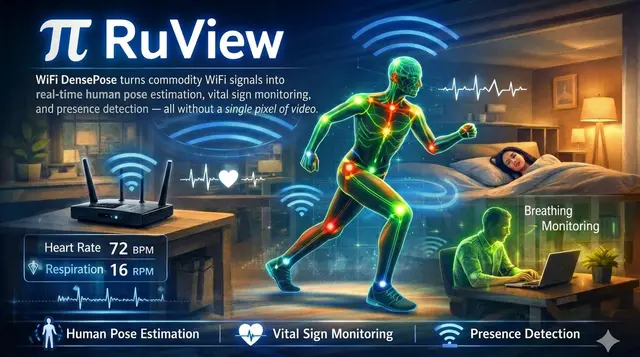
RuView Quickstart
Gets a new user to a live RuView sensing dashboard via Docker demo or repo build.
Install
npx skills add ruvnet/RuView --skill ruview-quickstart -g -a claude-code -y- Repository
- ruvnet/RuView102k
- Category
- Engineering
- Updated
- 3d ago
- License
- MIT
- Context cost
- Lightabout 711 tokens
- Runs scripts
- No, instructions only
What it does
Onboarding and first-run for RuView (WiFi-DensePose), Docker demo with simulated data, repo build, and the fastest path to a live sensing dashboard. Use when someone is new to RuView or wants the shortest path to "it works on my machine".
RuView Quickstart
Get a newcomer from zero to a running RuView sensing dashboard. Three tiers, pick the one that matches the hardware on hand.
Tier 0, Docker, no hardware (2 minutes)
docker pull ruvnet/wifi-densepose:latest
docker run -p 3000:3000 ruvnet/wifi-densepose:latest
# open http://localhost:3000, simulated CSI, full UI
Use this to demo the dashboard, explore the API, or develop UI without a sensor.
Tier 1, Build the repo from source
# Rust workspace (1,400+ tests, ~2 min)
cd v2
cargo test --workspace --no-default-features

# Single-crate sanity check (no GPU)
cargo check -p wifi-densepose-train --no-default-features

# Python proof (deterministic SHA-256 pipeline check)
cd ..
python archive/v1/data/proof/verify.py   # must print VERDICT: PASS
If verify.py fails on a hash mismatch after a numpy/scipy bump:
python archive/v1/data/proof/verify.py --generate-hash
python archive/v1/data/proof/verify.py
Tier 2, Live sensing with an ESP32-S3 ($9)
This is the real thing. Hand off to the ruview-hardware-setup skill for the flash/provision/monitor loop, then:
# Lightweight sensing server (consumes the ESP32 UDP CSI stream)
cd v2
cargo run -p wifi-densepose-sensing-server
# Live RF room scan / SNN learning helpers:
node ../scripts/rf-scan.js --port 5006
node ../scripts/snn-csi-processor.js --port 5006
What to know before you start
- ESP32-C3 and the original ESP32 are NOT supported, single-core, can't run the CSI DSP pipeline. Use ESP32-S3 (8MB or 4MB) or ESP32-C6.
- A single ESP32 has limited spatial resolution, 2+ nodes (or add a Cognitum Seed) for good results.
- Camera-free pose accuracy is limited (~84s to train, modest PCK). For 92.9% PCK@20 use camera-supervised training (see
ruview-model-trainingskill, ADR-079). - No cloud, no internet, no cameras required, everything runs on edge hardware.



