Editorial Card Screenshot
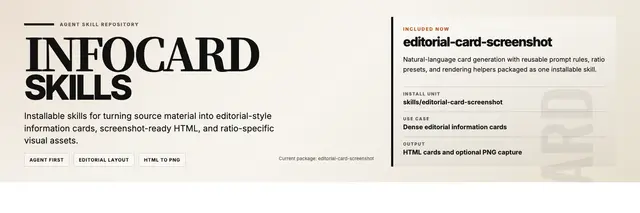
Generate high-density editorial HTML info cards in a modern magazine and...
Install
npx skills add shaom/infocard-skills --skill editorial-card-screenshot -g -a claude-code -y- Repository
- shaom/infocard-skills519
- Category
- Design
- Updated
- 5mo ago
- License
- MIT
- Context cost
- Mediumabout 3,000 tokens
- Runs scripts
- Yes, review before use
What it does
Generate high-density editorial HTML info cards in a modern magazine and Swiss-international style, then capture them as ratio-specific screenshots. Use when the user provides text or core information and wants: (1) a complete responsive HTML info card, (2) the design to follow the stored editorial prompt, (3) output in fixed visual ratios such as 3:4, 4:3, 1:1, 16:9, 9:16, 2.35:1, 3:1, or 5:2, or (4) both HTML and a rendered PNG cover/card from the same content.
Editorial Card Screenshot
Overview
Turn source text into a compact, high-contrast HTML information card that follows the user's editorial prompt, then render a screenshot in one of the supported aspect ratios. The goal is not just density but editorial quality: clear hierarchy, strong visual anchors, and screenshot-stable rendering without accidental cropping or dead space.
Always preserve three output stages unless the user explicitly asks to skip one:
- Write one sentence judging the information density as high, medium, or low.
- Output the complete HTML with embedded CSS.
- Self-check that body text remains readable on mobile.
Workflow
1. Analyze Content Density
Read references/content-fit.md. Inventory semantic units, estimate density, and choose layout strategy from both density and ratio:
- Use "big-character" composition when content is sparse and a single phrase, number, or hook can carry the page.
- Use a two-column or three-column editorial grid when content is dense and needs stronger hierarchy.
- Use oversized numbers, heavy rules, tinted blocks, and pull-quote scale to avoid dead space.
- Do not force dense content into evenly weighted tiles. Build primary blocks, secondary blocks, and lighter supporting blocks.
- Match structure to content type:
- Ranking / recommendation content: allow asymmetric hero + structured list.
- Tutorial / analysis / interpretation content: group into overview, core judgment, interpretation, boundary, and conclusion.
- Write a short space-allocation plan before final HTML. Assign approximate area to hero, primary module, support area, and footer.
- Do not use the starter template's current arrangement as evidence that it is the right skeleton.





