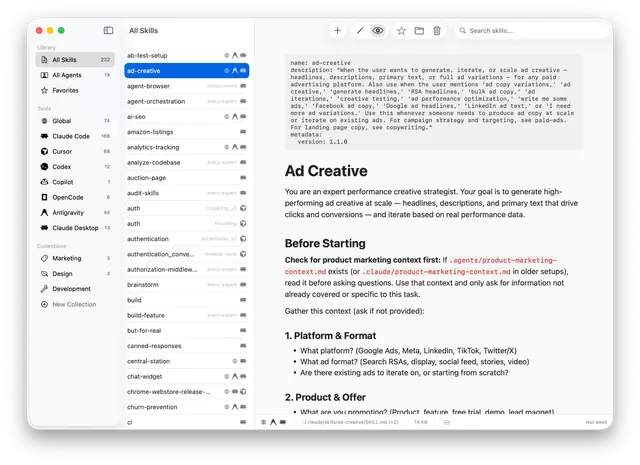
Setup
Get a new developer up and running with the Chops codebase, prerequisites, build...
Install
npx skills add Shpigford/chops --skill setup -g -a claude-code -y- Repository
- Shpigford/chops2.1k
- Category
- Engineering
- Updated
- 2mo ago
- License
- See repository
- Context cost
- Lightabout 942 tokens
- Runs scripts
- No, instructions only
What it does
Get a new developer up and running with the Chops codebase, prerequisites, build, architecture, and common tasks.
Set up the Chops development environment and orient a new contributor to the codebase.
Instructions
Step 1: Check prerequisites
Verify these are installed. If any are missing, tell the user what to install and stop.
- macOS 15+,
sw_vers -productVersion(must be ≥ 15.0) - Xcode CLI tools,
xcode-select -p(if missing:xcode-select --install) - Homebrew,
which brew(if missing: direct them to https://brew.sh) - xcodegen,
which xcodegen(if missing:brew install xcodegen)
Step 2: Generate Xcode project
xcodegen generate
This reads project.yml (the source of truth for all Xcode project settings) and generates Chops.xcodeproj. Re-run this anytime project.yml changes. Never edit the .xcodeproj directly.
Step 3: Build and run
xcodebuild -scheme Chops -configuration Debug build
Or open in Xcode and hit Cmd+R:
open Chops.xcodeproj
Step 4: Orient the developer
Share this architecture overview:
Entry point: Chops/App/ChopsApp.swift, sets up SwiftData ModelContainer (Skill + SkillCollection), starts Sparkle updater, injects AppState into environment.
State: Chops/App/AppState.swift, @Observable singleton holding UI state (selected tool, selected skill, search text, sidebar filter).
Models (SwiftData):
Chops/Models/Skill.swift, a discovered skill file, uniquely identified by resolved symlink pathChops/Models/Collection.swift, user-created groupings of skillsChops/Models/ToolSource.swift, enum of supported tools with display names, icons, colors, and filesystem paths



