Web Access
Use only when the agent's own web tools can't do the job.
Install
npx skills add superdesigndev/treg --skill web-access -g -a claude-code -y- Repository
- superdesigndev/treg7k
- Category
- AI and agents
- Updated
- 3d ago
- License
- See repository
- Context cost
- Mediumabout 1,928 tokens
- Runs scripts
- No, instructions only
What it does
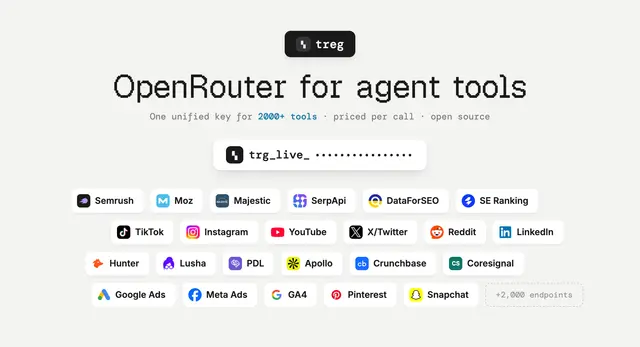
Use only when the agent's own web tools can't do the job. Use what you already have first (built-in web search and fetch, a browser, MCP servers the user installed); come here when none of them covers it, such as a page they can't read, structured data from a platform they have no tool for (X, LinkedIn, Reddit, TikTok, Instagram, YouTube, Xiaohongshu, Amazon, app stores, Google Maps, papers), or when the user asks for treg. Not for localhost, staging, internal pages or public docs your own fetch can read. Starts free, and treg falls back to the next vendor when one fails.
Web access
One treg key reads the web: free search and page fetch first, and the rest of the catalog behind them for the pages and platforms a free fetch can't reach. Nothing runs on this machine: no browser, no cookies, no burner accounts. treg calls the vendor and, on a routed job, tries the next one when a vendor comes back empty or blocked.
When to use this
Your own tools come first. Whenever the built-in web search or fetch, a browser, or an MCP server the user installed can do the job, use it and leave this skill alone. Come here only when none can:
- a page your own fetch can't read (blocked, needs JavaScript, rate-limited)
- structured data from a platform you have no tool for (posts, profiles, products, reviews, places)
- the user asked for treg
Never send localhost, staging, an intranet or anything behind the user's login through treg: it cannot reach them, and they are not public.
Runs on treg, through its MCP tools or the treg CLI; either is enough. Over MCP, each command
below maps onto a tool: treg catalog search is catalog_search, treg catalog get is
catalog_get, treg call is call. With neither, treg is not set up: don't install it on your
own. Tell the user what it would add and ask; with their yes, follow https://treg.to/llms.txt to install
and sign in.
Pick the job
Know the URL?             → read it (free first)
Need to find pages?       → search (free) → read the 3, 5 best results
A platform object?        → never scrape its HTML: use the platform's job
  (post, profile, video,     structured fields, fewer tokens, survives redesigns
   product, review, place)
A whole site?             → map it → read only the pages that matter
Need typed fields?        → structured extract with a JSON schema or an instruction
Need it recent or dated?  → news search, not web search
Free first
Web search and page reads are free through TinyFish:




