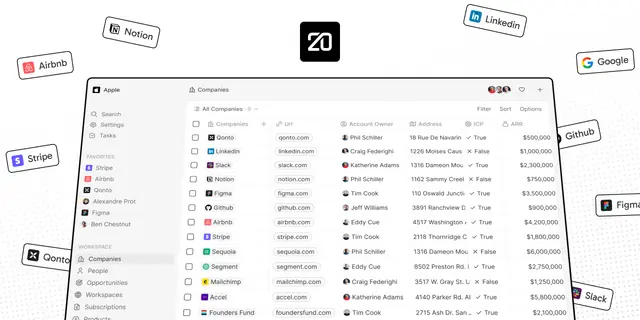
Twenty Record Presentation
Retrieve and present Twenty CRM records as readable summaries or tables, using the...
Install
npx skills add twentyhq/twenty --skill twenty-record-presentation -g -a claude-code -y- Repository
- twentyhq/twenty60.3k
- Category
- AI and agents
- Updated
- 3d ago
- License
- See repository
- Context cost
- Mediumabout 2,004 tokens
- Runs scripts
- No, instructions only
What it does
Retrieve and present Twenty CRM records as readable summaries or tables, using the connected Twenty MCP server to discover fields, fetch relevant data, format dates and values, build record links, and avoid raw API output.
Twenty Record Presentation
Overview
Retrieve the Twenty records needed to answer the user's question, then present them as a useful answer, not as raw API output. Always translate technical fields, timestamps, IDs, and nested structures into readable summaries that help the user scan, compare, and act.
Retrieval Workflow
Use the selected connected Twenty MCP server when it is available
learn_tools→execute_tool- Discover the relevant object, fields, filters, and sort options instead of guessing exact API names.
- Retrieve only the fields needed for the answer, plus the fields needed for ordering or disambiguation.
- For "latest", "most recent", or "recent" requests, include the relevant timestamp field used for sorting.
- If the user asks for a broad list, apply a practical limit and state how many records are shown.
- If required context is missing and cannot be discovered from the tools, ask one concise clarifying question.
- If no Twenty MCP tools are available, say that no callable Twenty MCP server is available in the current thread and ask the user to connect or expose the intended workspace.
Response Shape
Start with the answer or count, then show the records in the clearest compact shape:
- For one record, use a labeled block.
- For 2 to 10 comparable records, use a Markdown table.
- For larger sets, show the most relevant rows first, mention the total, and offer the next useful filter or page only when needed.
- For nested records, summarize the important nested values instead of dumping JSON.
- When comparing records across workspaces, prefer one combined table with a Workspace column if it improves scanning. Use separate sections only when each workspace needs different columns.
Use English labels and prose. Keep user-provided names, record values, emails, URLs, and proper nouns unchanged.
Record Links
Link records back to their original Twenty context whenever the workspace origin and record identity are known.




