Ov Resources
Search and read documents, repos, URLs, and other resources stored in OpenViking under...
Install
npx skills add volcengine/OpenViking --skill ov-resources -g -a claude-code -y- Repository
- volcengine/OpenViking41.3k
- Category
- Design
- Updated
- 3d ago
- License
- AGPL-3.0
- Context cost
- Lightabout 504 tokens
- Runs scripts
- No, instructions only
What it does
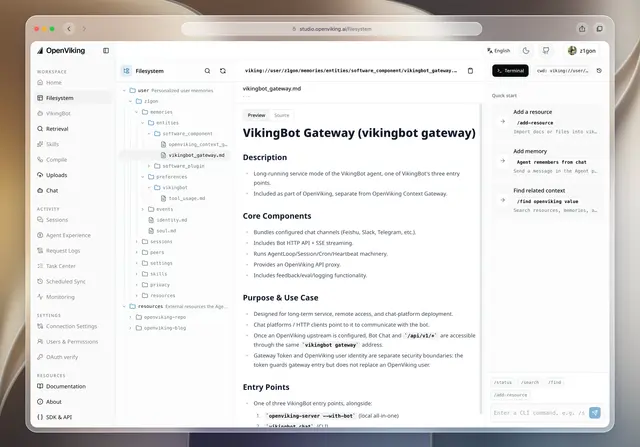
Search and read documents, repos, URLs, and other resources stored in OpenViking under viking://resources/. Use whenever the user asks about docs, specs, codebases, papers, or notes that were added to OpenViking ("check the docs", "what does our design doc say", "find it in OpenViking"), or when a task needs reference material this session does not have. Covers picking between find, grep, glob, and list, and drilling from a hit down to the exact file.
OpenViking Resources
Resources are documents a user added to OpenViking (files, repos, URLs).
They live in a file tree under viking://resources/ (and sometimes
viking://user/<id>/resources/ for user-private ones). Each directory has two
summaries next to its files:
.abstract.md, one paragraph: what the directory holds (L0).overview.md, a structured overview of its contents (L1)
Read summaries first and open full files last. The summaries exist so you can decide where to look without reading everything.
Pick the tool
| You know… | Use |
|---|---|
| roughly what it is about | find(query, target_uri="viking://resources") |
| an exact word, name, or error string | grep(uri, pattern=[...]) |
| a file name or extension | glob(pattern, uri) e.g. **/*.pdf |
| where it is | list(uri) and read(uris) |
Default to find. Scope it with target_uri as soon as you know which
resource you are in, narrower scopes give better hits. Use search instead
of find only when the question is vague and needs intent analysis.
Drill down
findreturns URIs with a score. A hit on<dir>/.abstract.mdmeans the whole directory matched, not that the answer is in the abstract.readthat directory's.overview.mdto see what is inside.listthe directory, or run a scopedfind/grepinside it, to reach the specific file.readthe file. For long files,grepfirst and thenreadwithoffset/limitaround the match.
Stop as soon as you have what the task needs. Two or three targeted reads beat ten broad ones.





