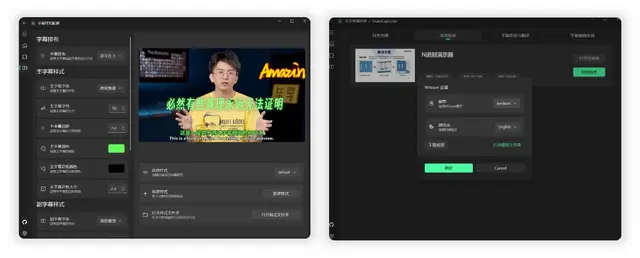
Video Captioner
Transcribes, translates, and burns styled subtitles into videos.
Install
npx skills add WEIFENG2333/VideoCaptioner --skill videocaptioner -g -a claude-code -y- Repository
- WEIFENG2333/VideoCaptioner16.4k
- Category
- Media
- Updated
- 2mo ago
- License
- GPL-3.0
- Context cost
- Mediumabout 1,618 tokens
- Runs scripts
- No, instructions only
What it does
Process video subtitles, transcribe speech, optimize/translate text, burn styled subtitles into video. Use when you need to add subtitles to a video, transcribe audio, translate subtitles, or customize subtitle styles.
VideoCaptioner CLI
AI-powered video captioning: transcribe speech → optimize subtitles → translate → burn into video with beautiful styles.
When to use
- User wants to add subtitles to a video
- User wants to transcribe audio/video to text
- User wants to translate subtitles to another language
- User wants to customize subtitle appearance (colors, fonts, rounded backgrounds)
- User wants to download and subtitle online videos
Before you start
Always run videocaptioner <command> --help first to check the latest options and defaults before executing a command. The examples below are common patterns, but --help is the source of truth.
- Install:
pip install videocaptioner - FFmpeg required for video synthesis (
brew install ffmpegon macOS) - Free (no API key): transcription (bijian/jianying), translation (Bing/Google)
- Requires LLM API key: subtitle optimization, subtitle re-segmentation, LLM translation. Set via
OPENAI_API_KEYenv var or--api-keyflag
Common scenarios
1. Give a Chinese video English subtitles (one command, all free)
videocaptioner process video.mp4 --asr bijian --translator bing --target-language en \
  --subtitle-mode hard --quality high -o output.mp4
2. Transcribe a video to SRT (free)
videocaptioner transcribe video.mp4 --asr bijian -o output.srt

# Output as JSON format to a directory
videocaptioner transcribe video.mp4 --asr bijian --format json -o ./subtitles/
3. Translate existing subtitles
# Free Bing → English, bilingual output with translation above original
videocaptioner subtitle input.srt --translator bing --target-language en --layout target-above -o translated.srt

# Free Google → Japanese, translation only (discard original text)
videocaptioner subtitle input.srt --translator google --target-language ja --no-optimize --layout target-only -o output_ja.srt





